Users can edit multiple comment' s authors at the same time for an issue. Plugin preserve the following permissions on the issues
-
Edit All Comments - Permission to edit any comments, regardless of who added them.
-
Edit Own Comments - Permission to edit comments that were added by the user.
-
Moreover, issue must be editable state to delete comments.
1. Select "Update Comment Author" from More actions
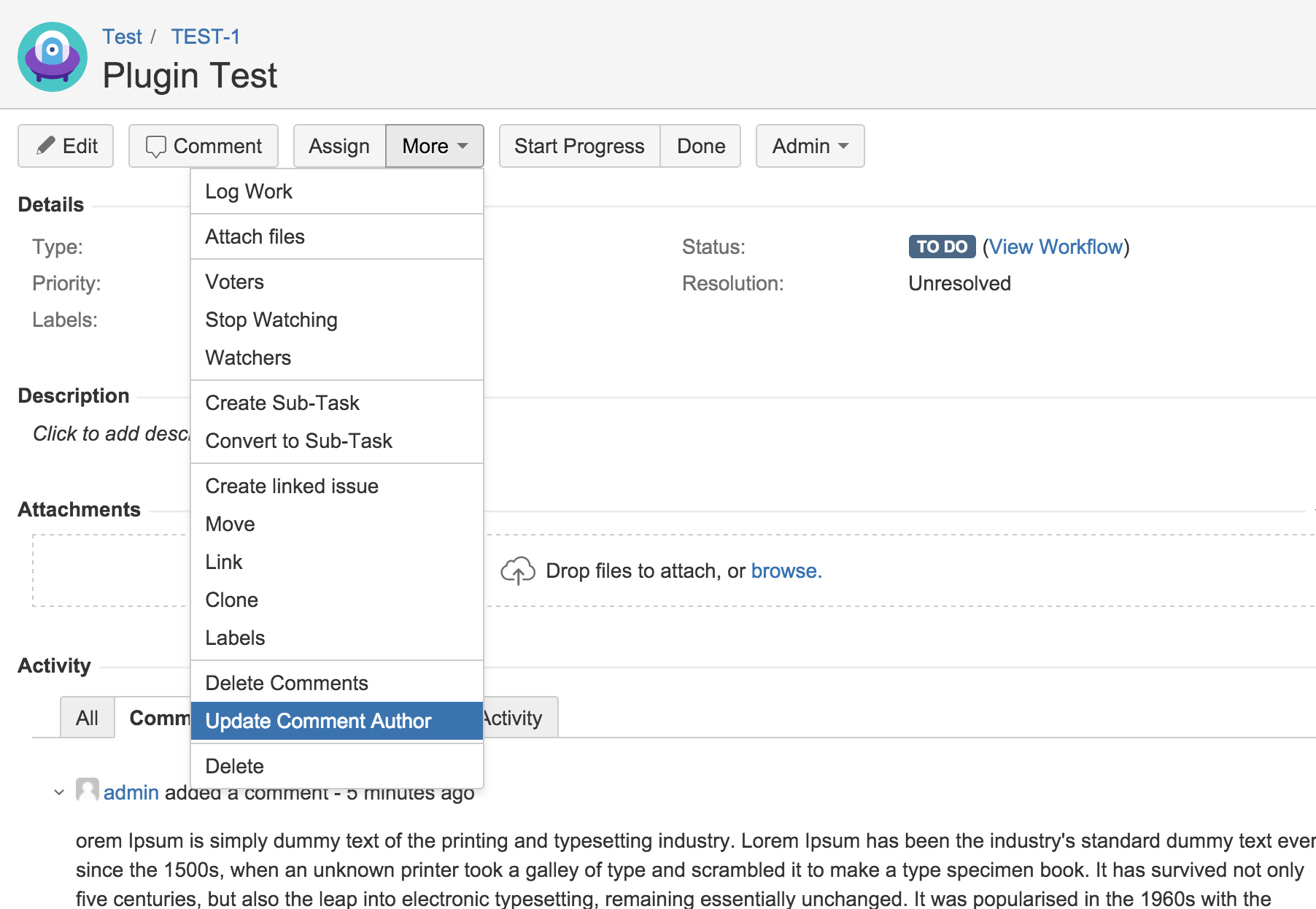
User must have Edit All Comments or Edit Own Comments project permissions for selected issue's project to access/see Update Comment Author action at More action list.
2. Select Comments to update author
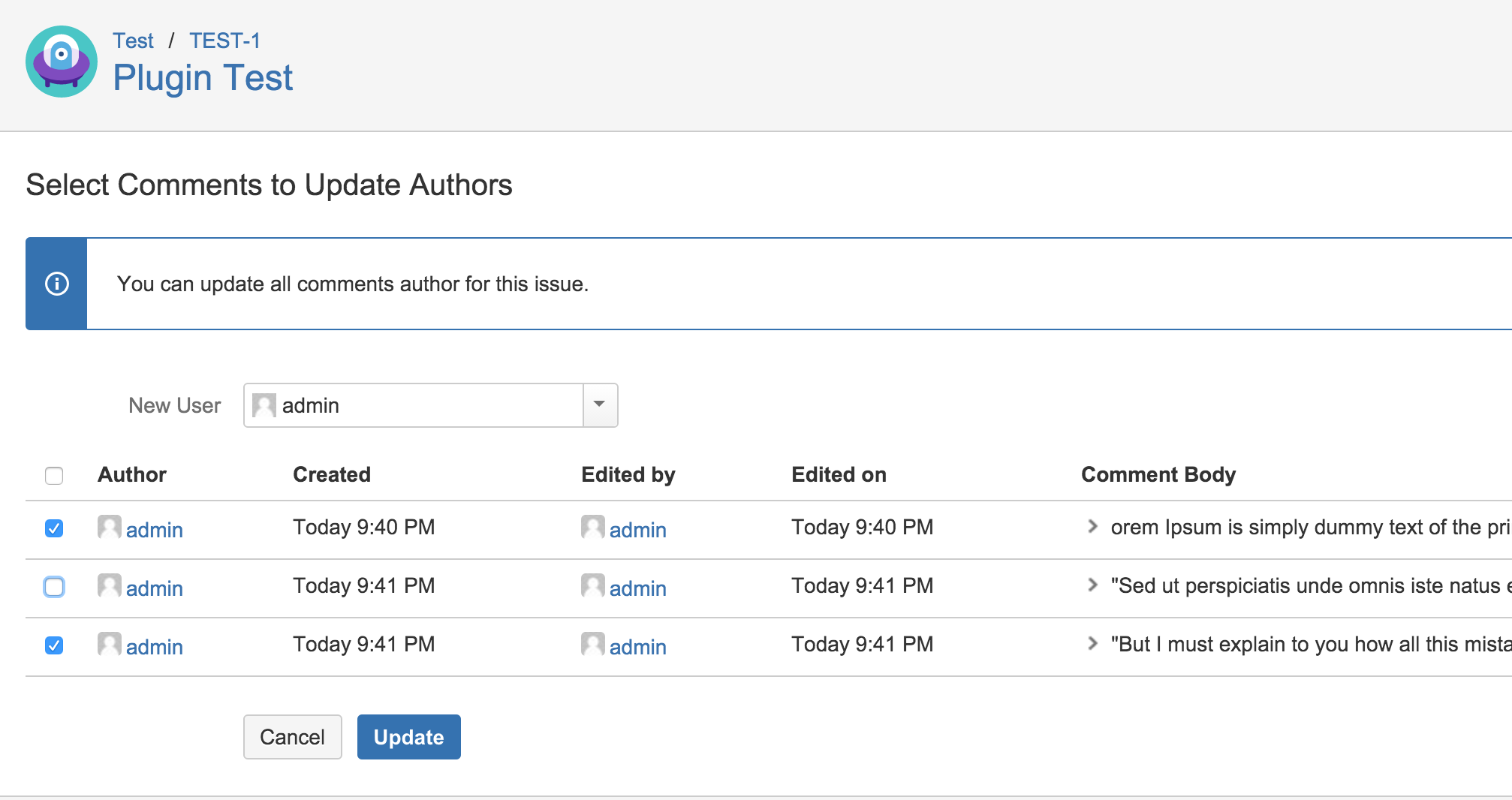
If user has Edit All Comments project permissions for selected issue, s/he can select all comments.
If user has only Edit Own Comments project permissions for selected issue, s/he can only select own comments.
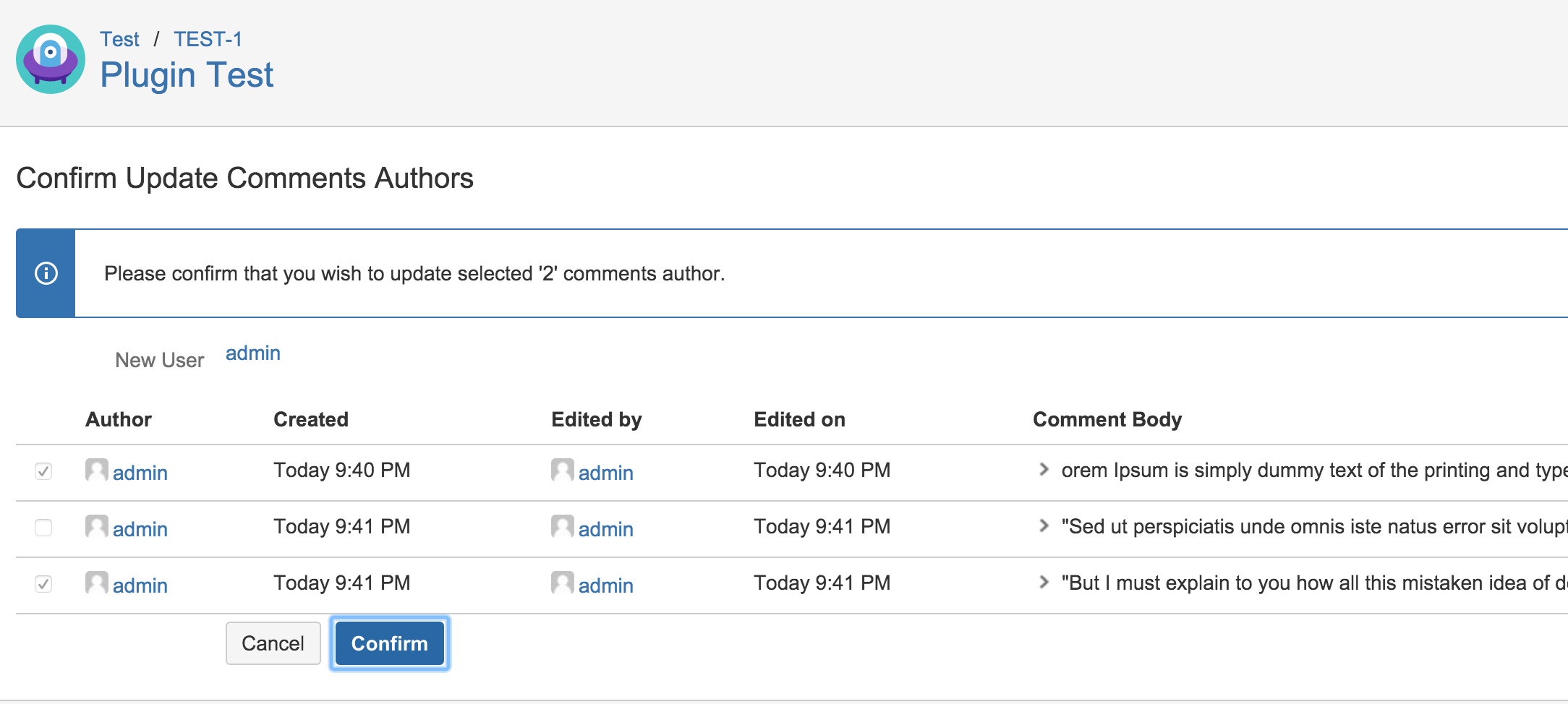
3. Confirm to update selected comment' s authors