-
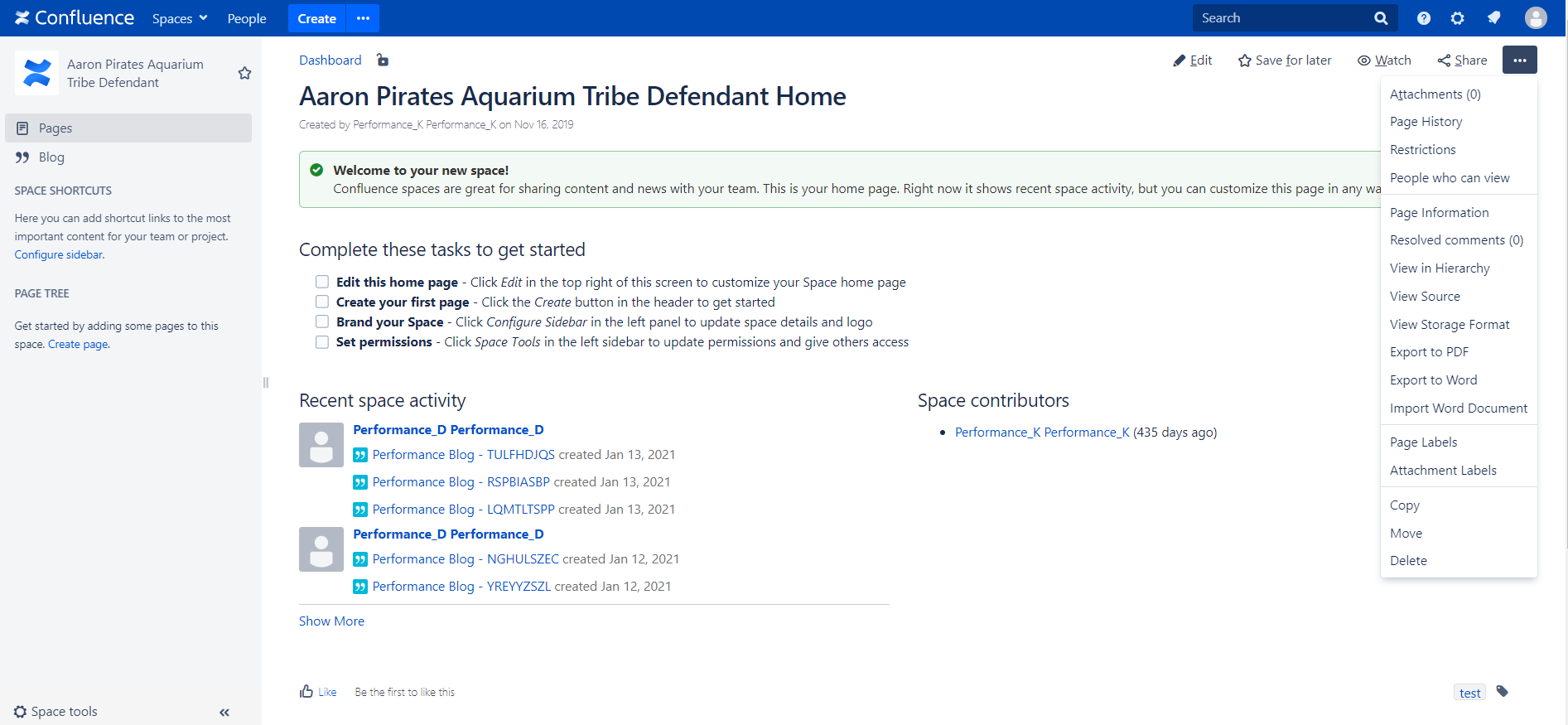
Click more options icon
 and select Attachment Labels from the menu
-
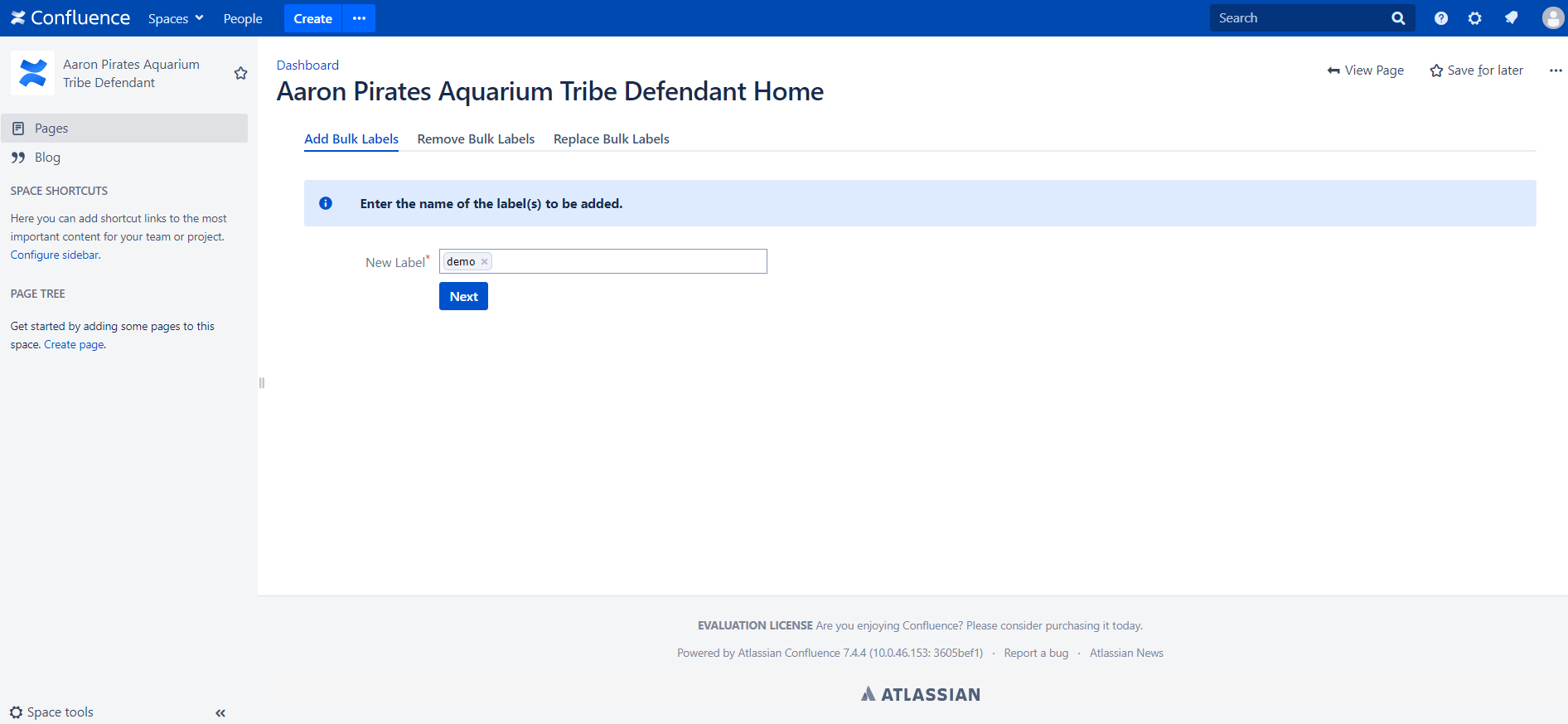
Click Add Bulk Labels tab from Page Attachment Labels screen and enter the name of the label(s) to be added
-
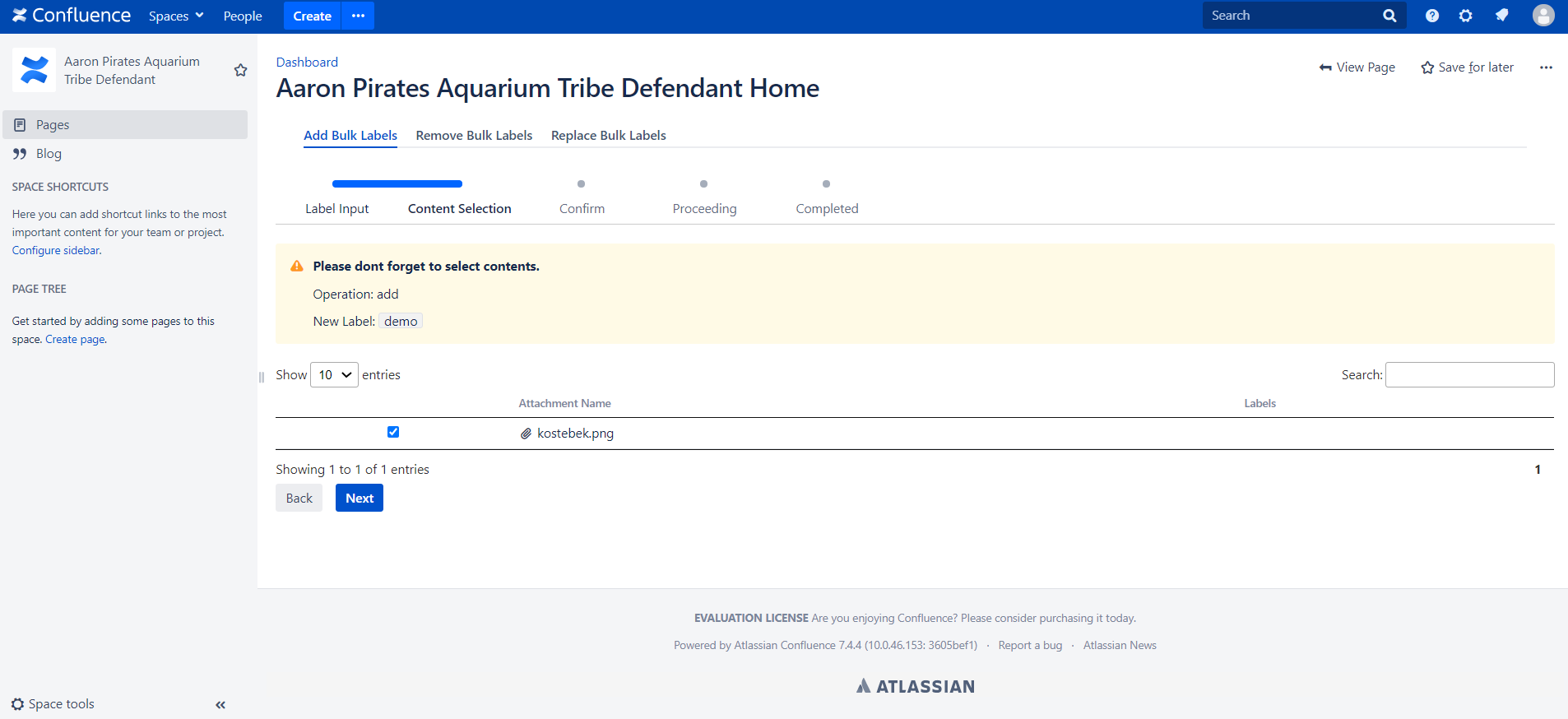
Choose Attachments to assign labels
-
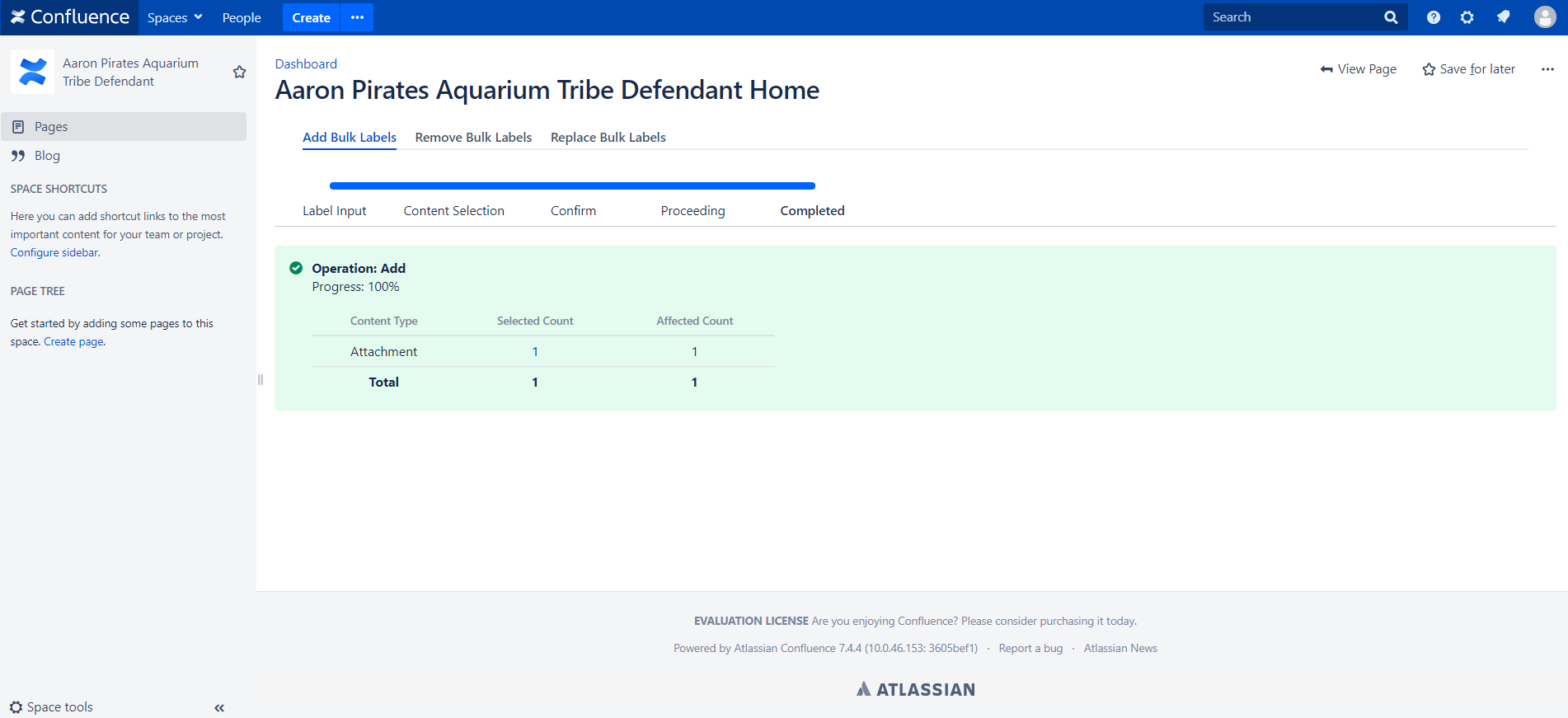
After added and process completed you will get a success message