
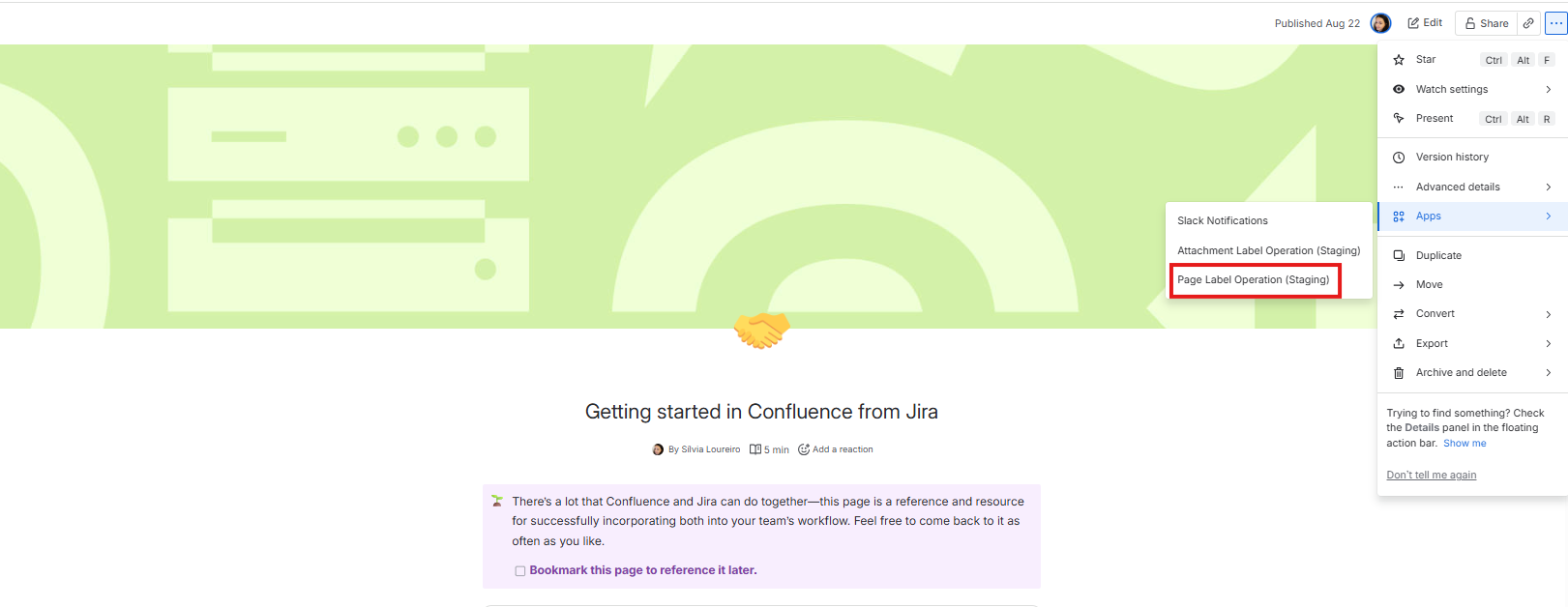
1. Chose Page Label Operations from the menu
|
|---|
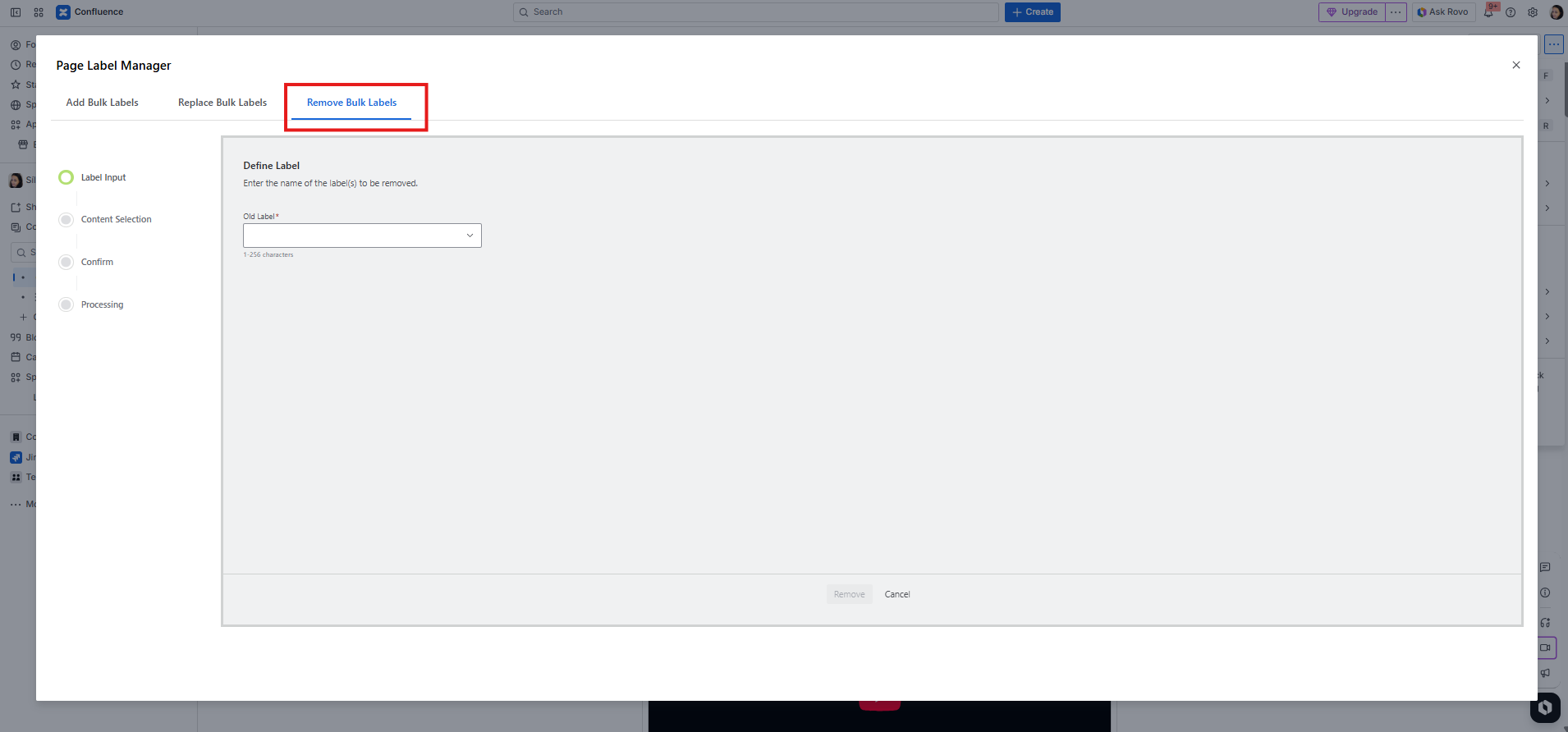
2. Click Remove Bulk Label button from Page Label Operations tab menu
|
|---|
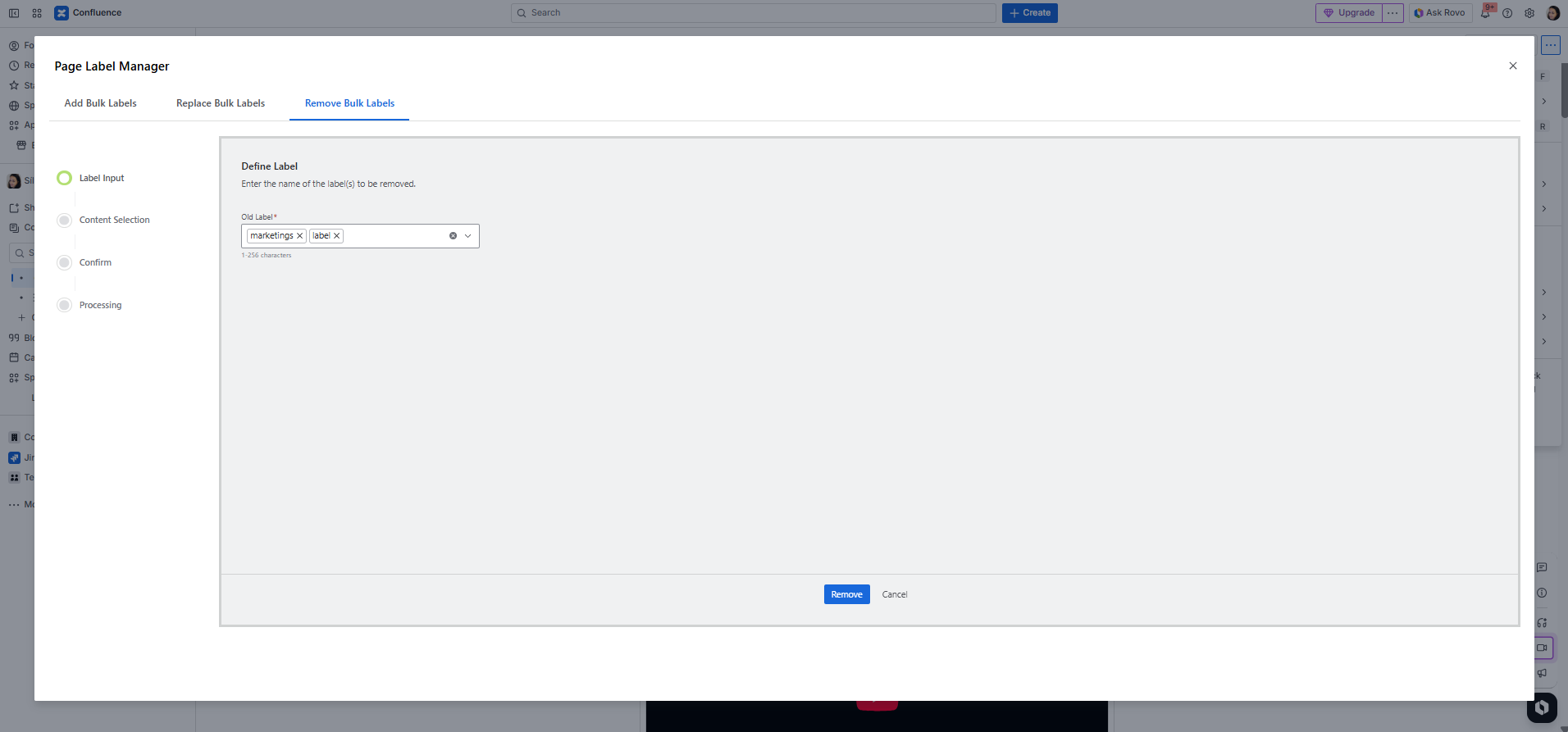
3. Enter label/s to label text field(for multiple labels press space for the new label)
|
|---|
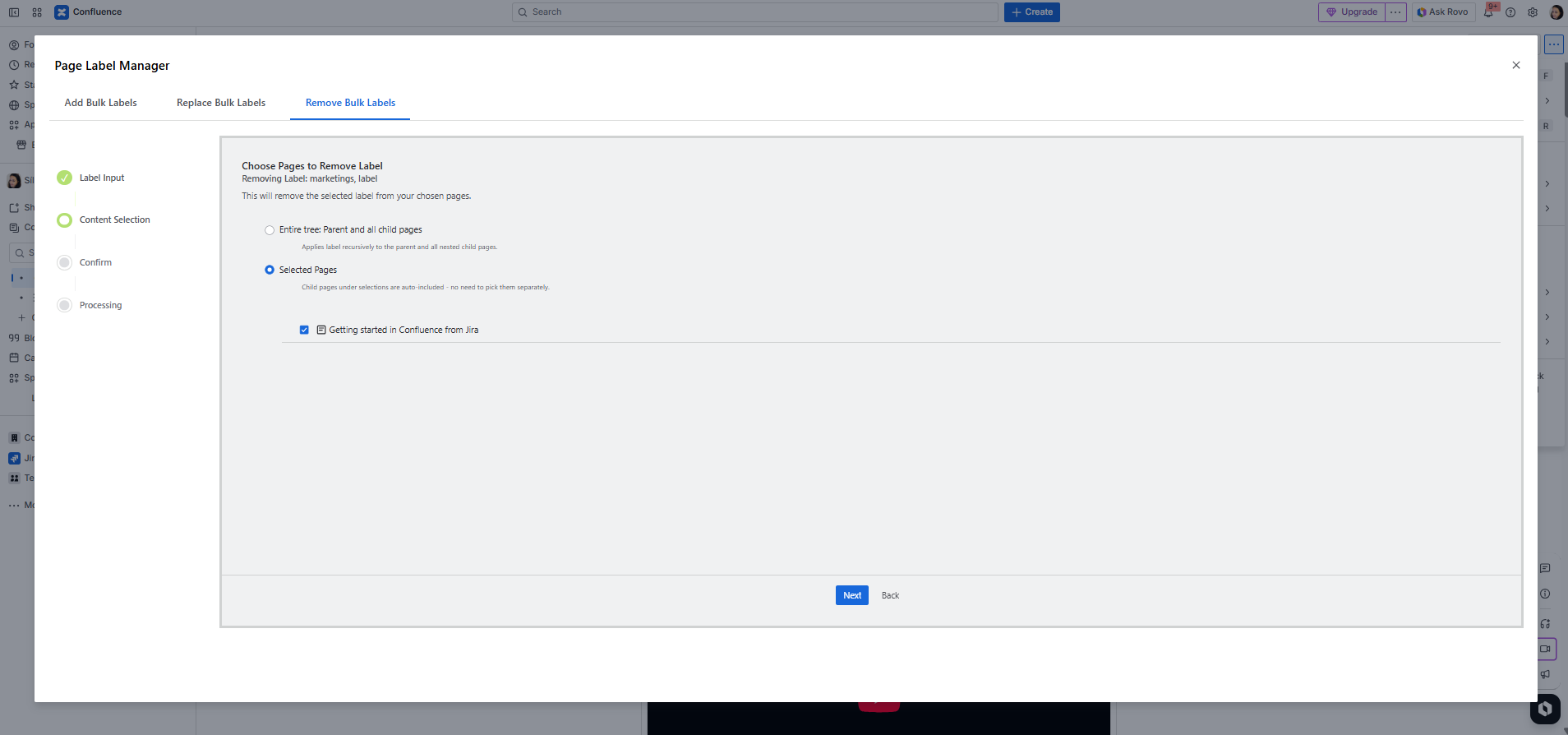
4. Select all or custom pages to remove labels to child pages of the current page
|
|---|
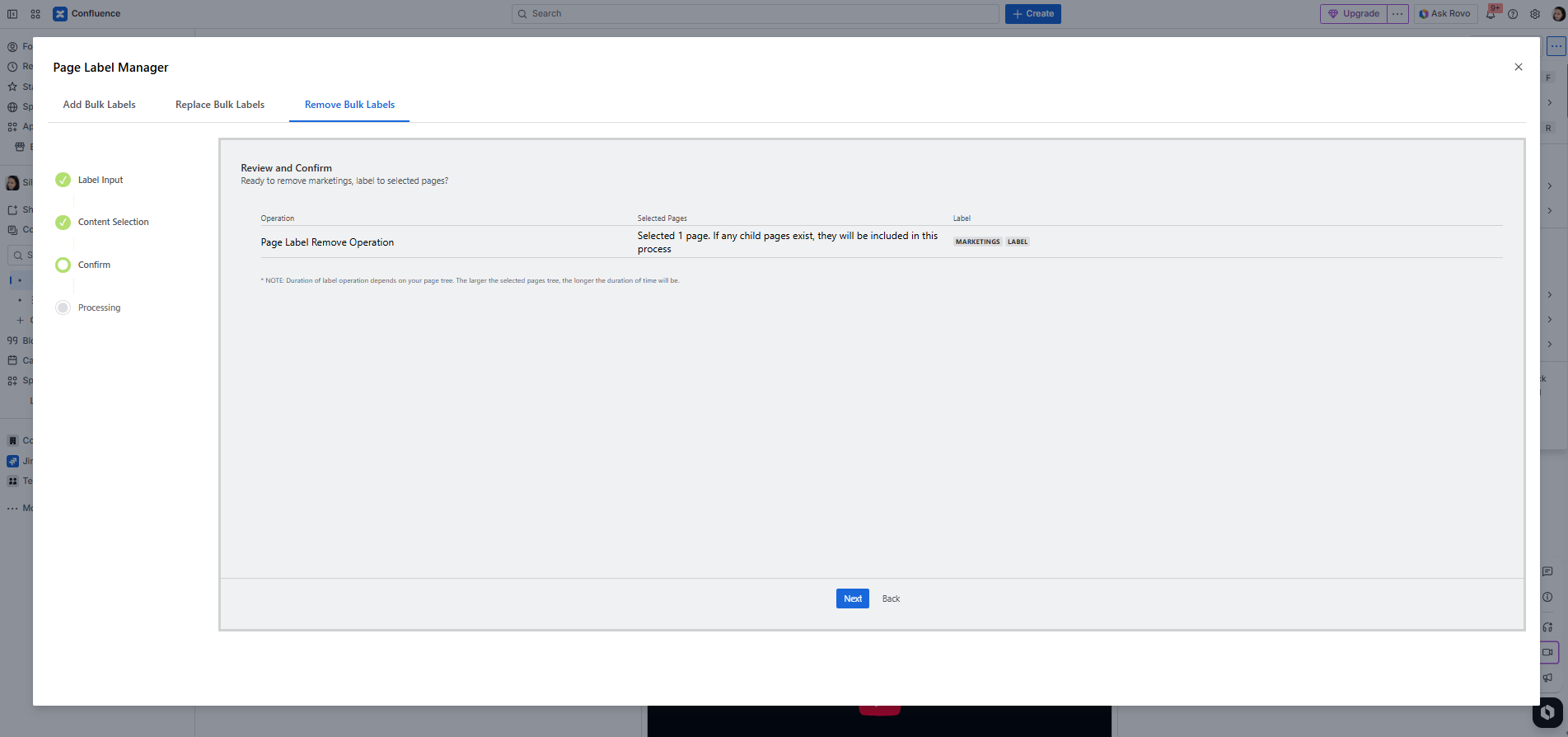
5. Review and Confirm
|
|---|
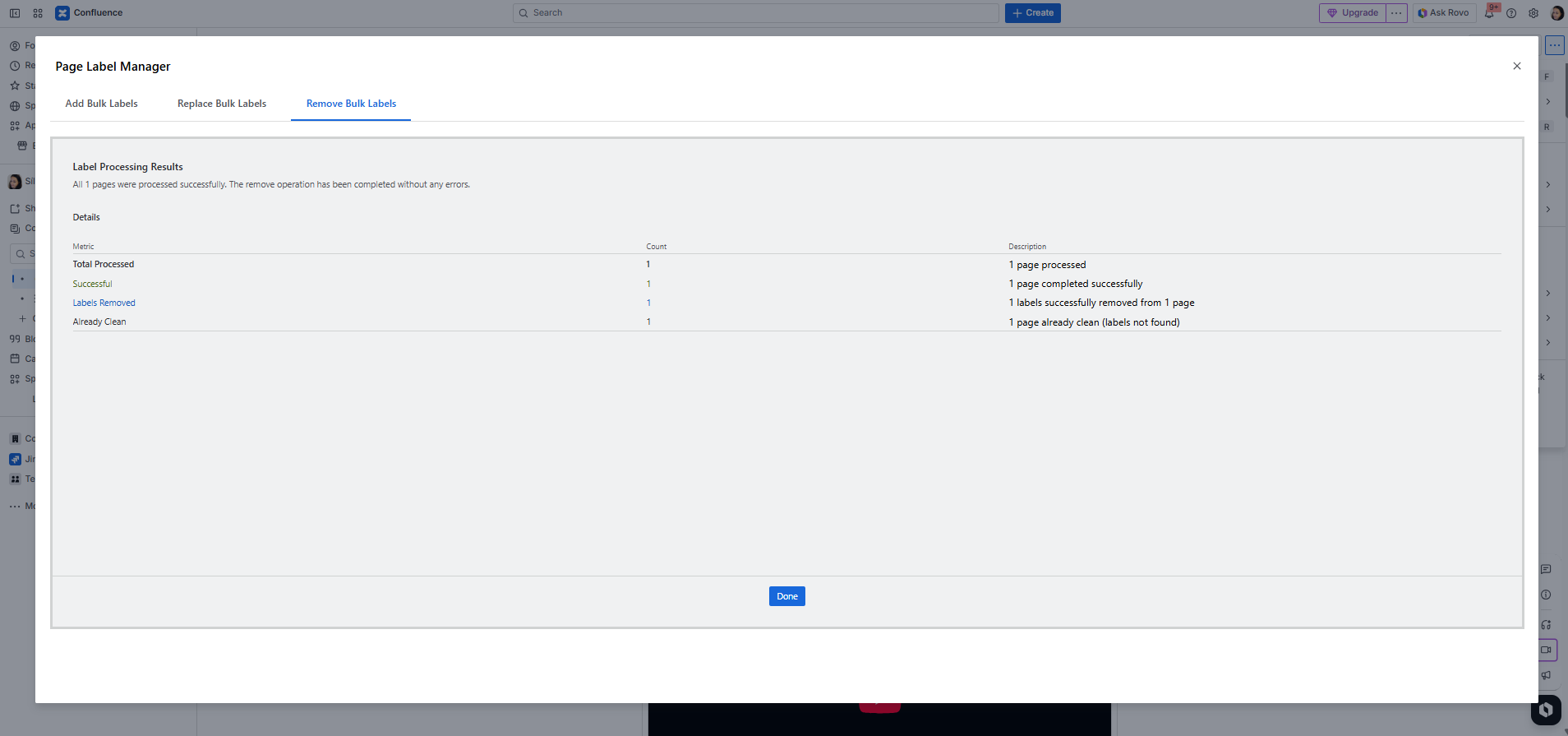
6. After the process, you can get the success message
|
|---|