
At the end of this tutorial, you will be able to create Smart Dashboards and Smart Filters.
Create a new Smart Filter as described in Creating a Smart Filter tutorial. If you have already created your Smart Filter and want to configure the filters, simply open the Smart Filter Configuration Page as described in the Configuring a Smart Filter tutorial.
Before adding Smart Dashboard gadgets and interactive filters, you need a Jira dashboard to host them. Follow these simple steps to create a new dashboard in Jira Cloud:
📝 Step-by-Step Guide
-
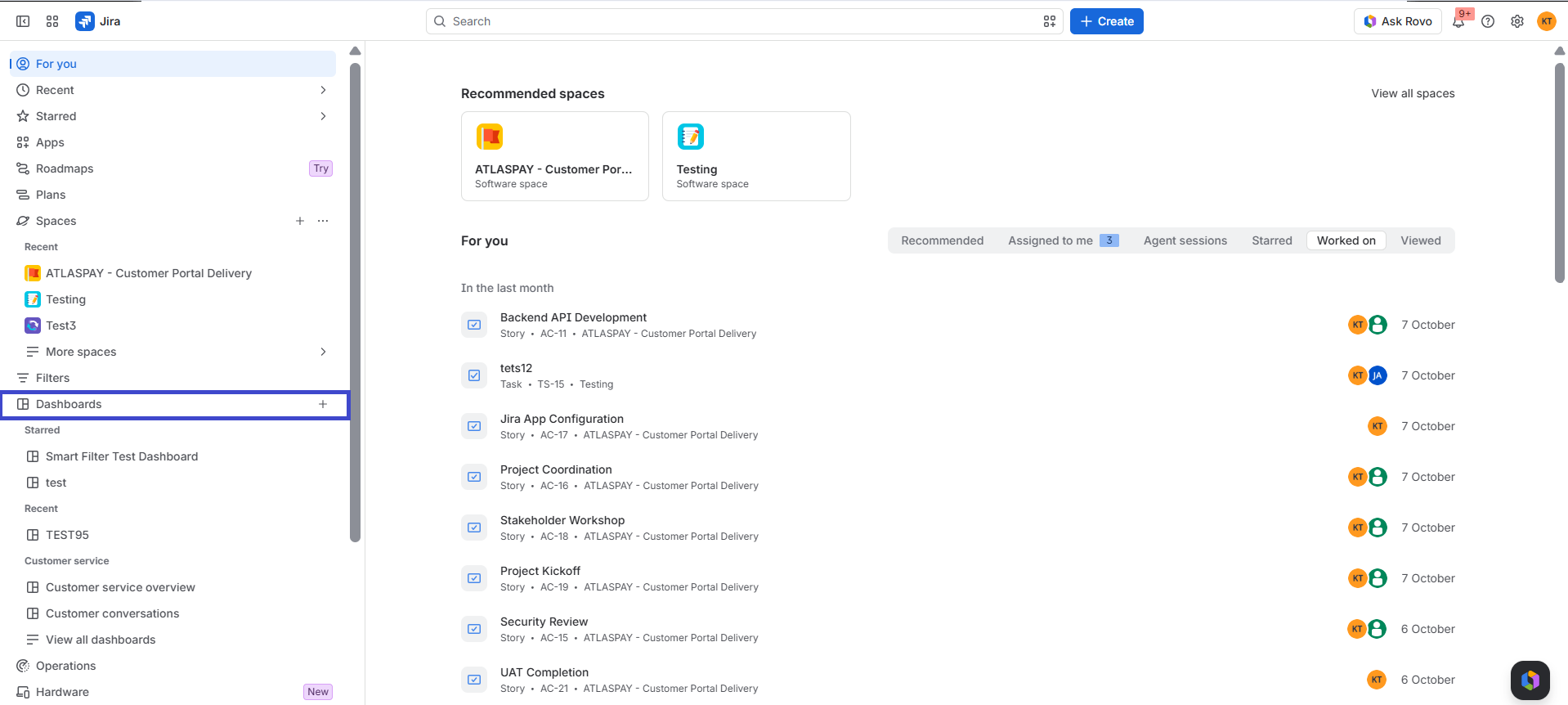
Open Jira and find the Dashboards section in the left sidebar menu.
-
Click the Plus icon (
+) directly next to the Dashboards header. -
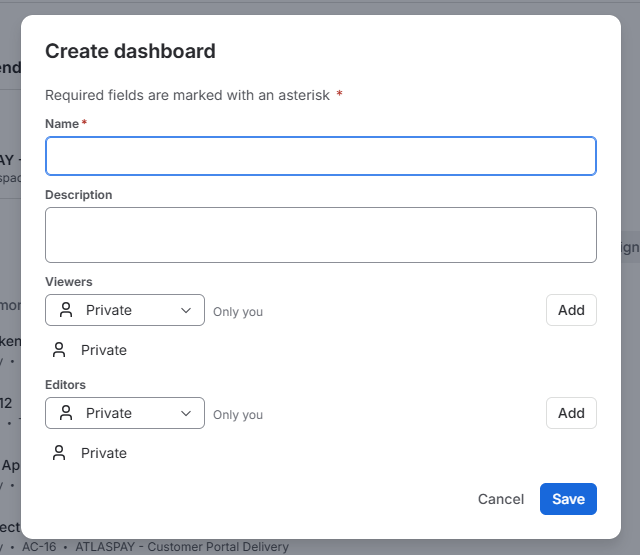
In the Create dashboard modal, fill in the following fields:
-
Name: Enter a clear, descriptive name for your dashboard (e.g., Engineering Overview, Sprint 24 Monitor, or Product Roadmap).
-
Description: Add a brief summary explaining the purpose of this dashboard.
-
Viewers: Select who can view the dashboard (e.g., Private, My Organization, Project, or specific Groups) and click Add.
-
Editors: Select who can edit the dashboard layout and gadgets (e.g., Private, Project, or specific Groups) and click Add.
-
-
Click Save to create your new blank dashboard.
Ensure you set appropriate Viewers and Editors permissions so team members who interact with your Smart Filters can access and view the dashboard.
Your Dashboard has been created. Now you can add Smart gadgets. For more details see Working with Smart Dashboard