
Briefly follow this flow and create your first Smart Filter.
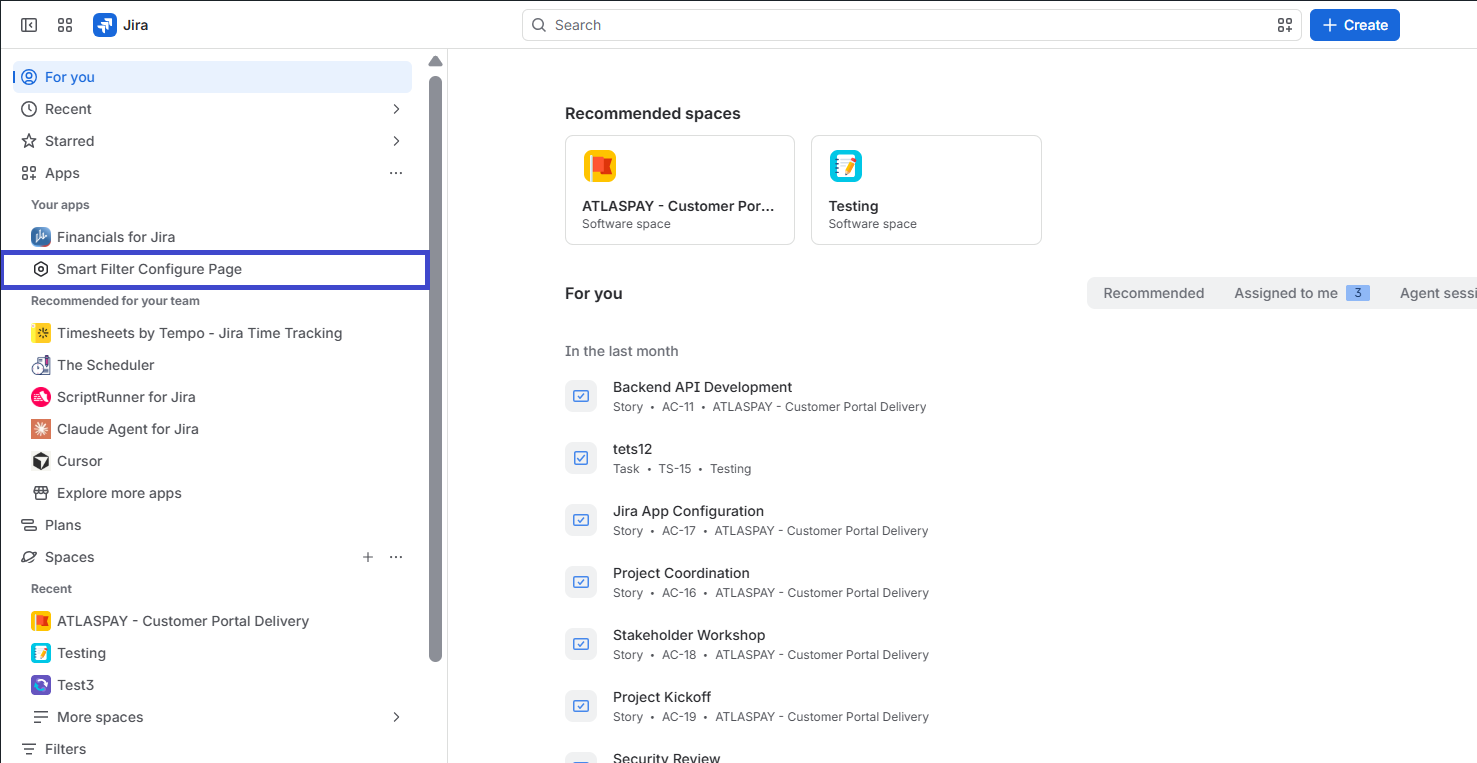
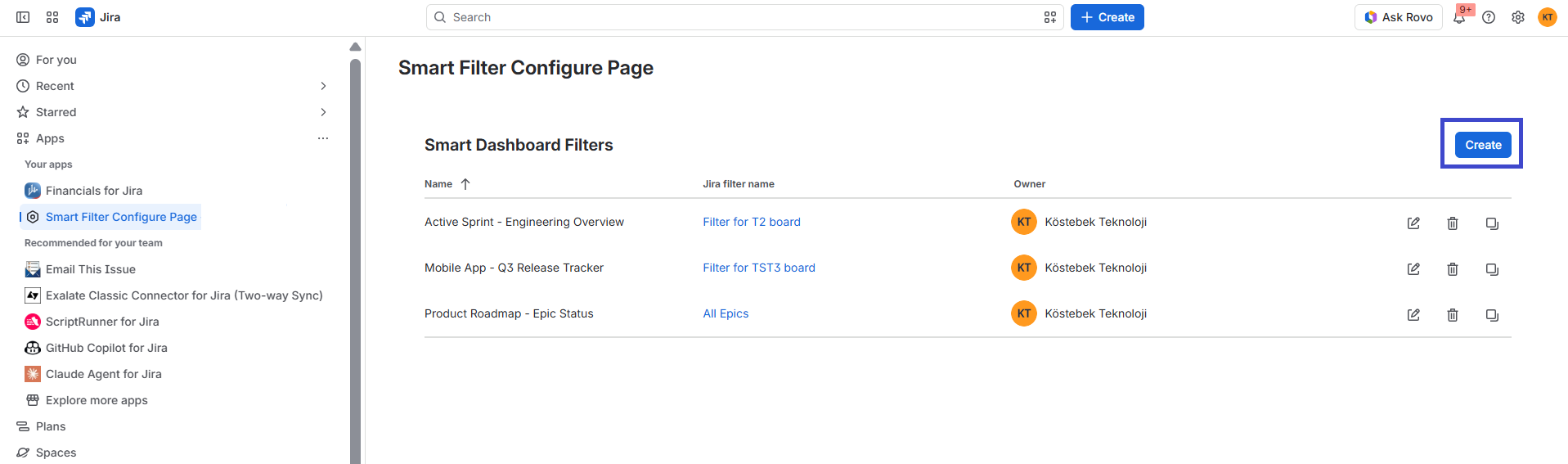
Jira Sidebar ➔ Your Apps ➔ Smart Filter Configure Page ➔ Click "Create" ➔ Fill Name & Jira Filter ➔ Click "Create" ➔ Done! ✅
A Smart Filter is the foundation of Smart Dashboard for Jira. It links your saved Jira filters with Smart Gadgets, letting you control and filter multiple gadgets from one place.
Follow these steps to create a Smart Filter:
📝 Step-by-step guide
In Jira’s left sidebar, open Your Apps and select Smart Filter Configure Page to reach app administration.
-
Click the Create button at the top right.
-
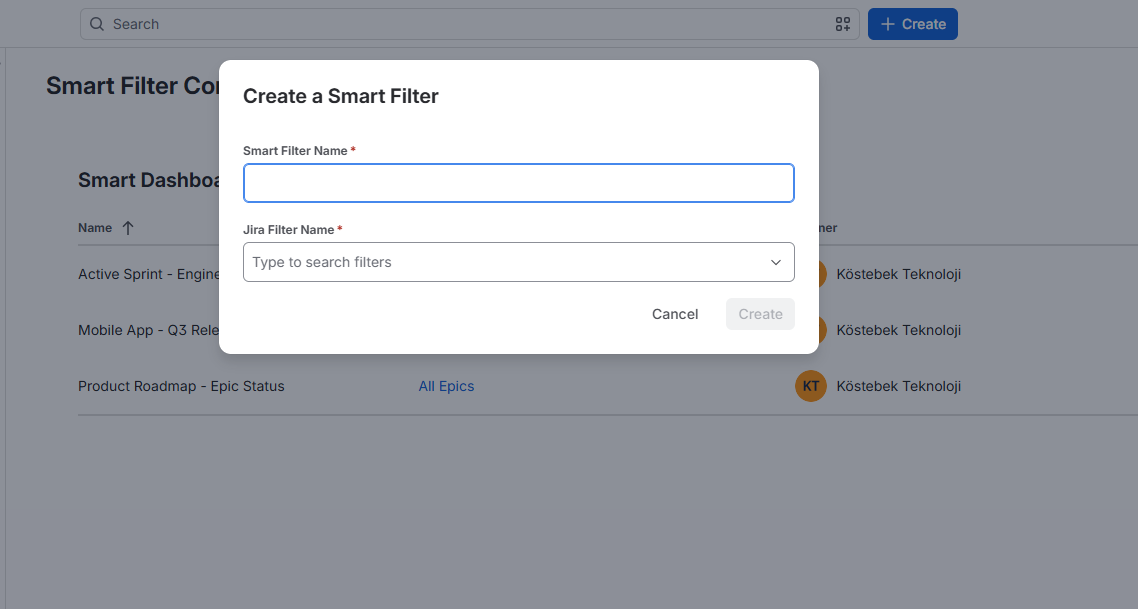
In the modal, enter a smart filter name and choose or search the saved Jira filter to base the smart filter on.
-
Click Create to save the smart filter.
Use descriptive names so team members can quickly identify the correct filter when adding Smart Gadgets to dashboards.