
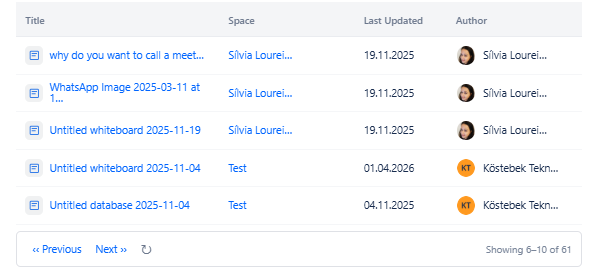
Displays a list of pages created by one or more specified users. Use this macro on team profile pages, author portfolios, or anywhere you want to surface a person's contributions to a space.
3.1 Content & Filter Tab
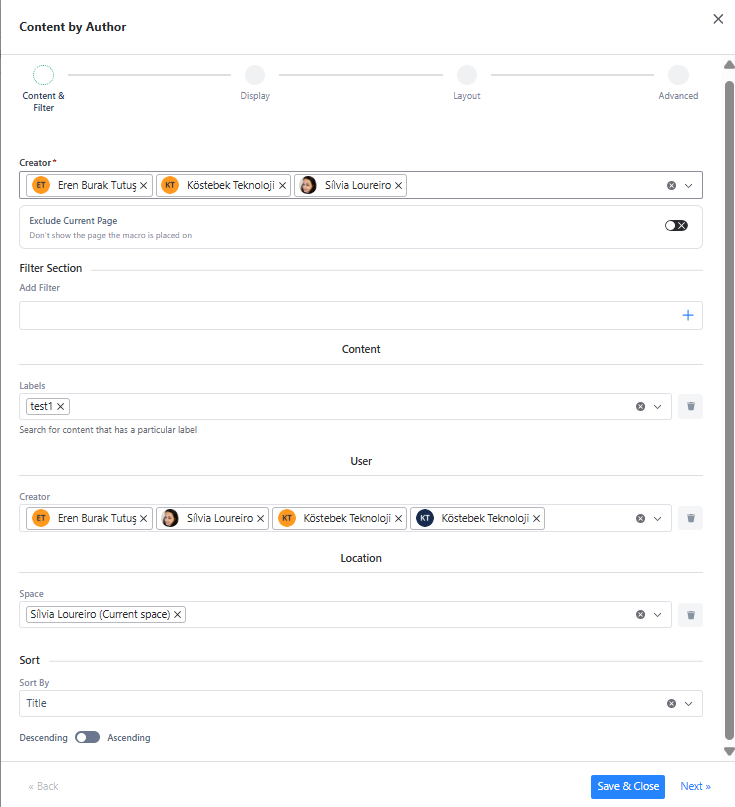
Required fields
|
Field |
Type |
Description |
Required |
|---|---|---|---|
|
Creator |
User Search |
Select one or more users whose pages you want to display. Type a name to search. Selected users appear as chips. At least one creator is required. |
Yes |
Optional settings
|
Field |
Type |
Description |
Required |
|---|---|---|---|
|
Exclude Current Page |
Toggle |
When enabled, the page the macro is placed on will not appear in results even if it matches the query. Default: off. |
No |
|
Add Filter |
Filter Panel |
Add one or more optional filters to narrow results. See Section 2 for all available filters. |
No |
|
Sort by |
Dropdown |
Sort results by: Title, Created Date, Last Modified. |
No |
|
Descending/ Ascending |
Toggle |
Toggle the sort direction. Default: Descending (newest first). |
No |
3.2 Display Tab
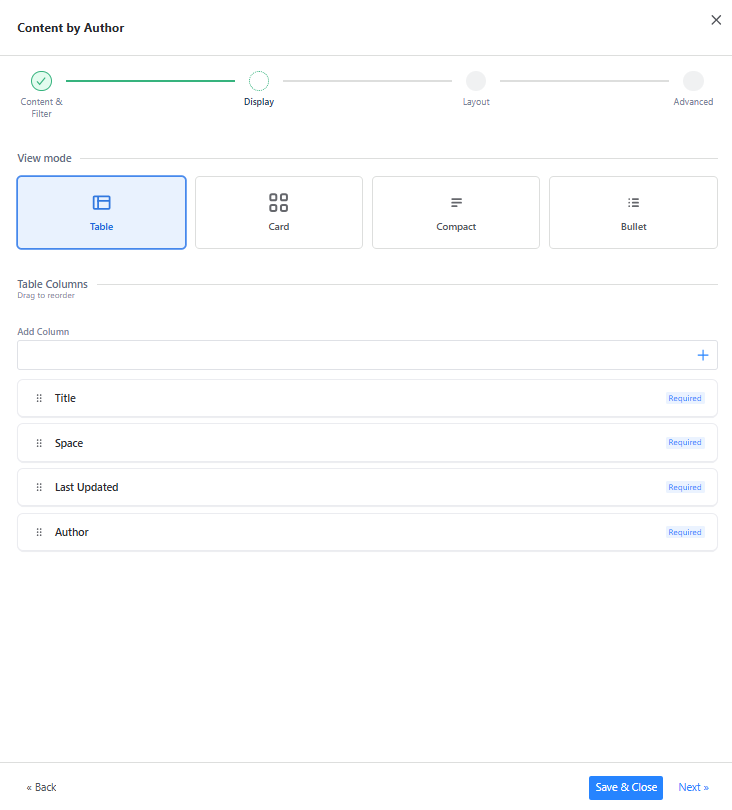
Content by Author - Display tab showing Table view selected, column drag list with Title/Space/Last Updated/Author, and table options toggles
|
Tab |
Section |
Field / Option |
Description |
|---|---|---|---|
|
Display |
View Mode |
Table |
Displays results in a structured table with configurable columns. Default view. |
|
View Mode |
Card |
Displays results as visual cards with title, excerpt, author and date. |
|
|
View Mode |
Compact |
Displays results as a dense two-line list: title on line 1, metadata on line 2. |
|
|
View Mode |
Bullet |
Displays results as a simple linked list with optional date or space metadata. |
|
|
Table Columns |
Title |
Required. Page title as a clickable link. Always the first column, cannot be hidden. |
|
|
Table Columns |
Space |
Required. The Confluence space the page belongs to. |
|
|
Table Columns |
Last Updated |
Required. When the page was last modified. |
|
|
Table Columns |
Author |
Required. The name and avatar of the user who created the page. |
3.3 Layout Tab
|
Tab |
Section |
Field / Option |
Description |
|---|---|---|---|
|
Layout |
Heading Title |
Macro Title |
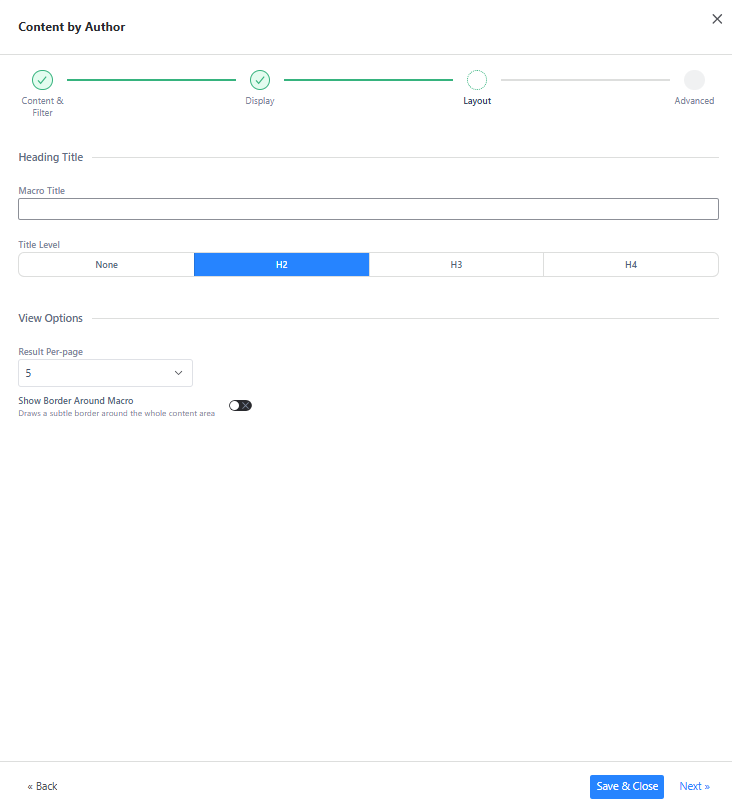
Optional text heading shown above the results on the page. |
|
Heading Title |
Title Level |
Heading style for the title: None, H2, H3, or H4. |
|
|
View Options |
Result Per-page |
Number of results to show per page. Default: 5. If results exceed this number, a pagination control appears below. |
|
|
View Options |
Show Border Around Macro |
Draws a subtle border around the entire macro content area. Default: off. |
3.4 Advanced Tab
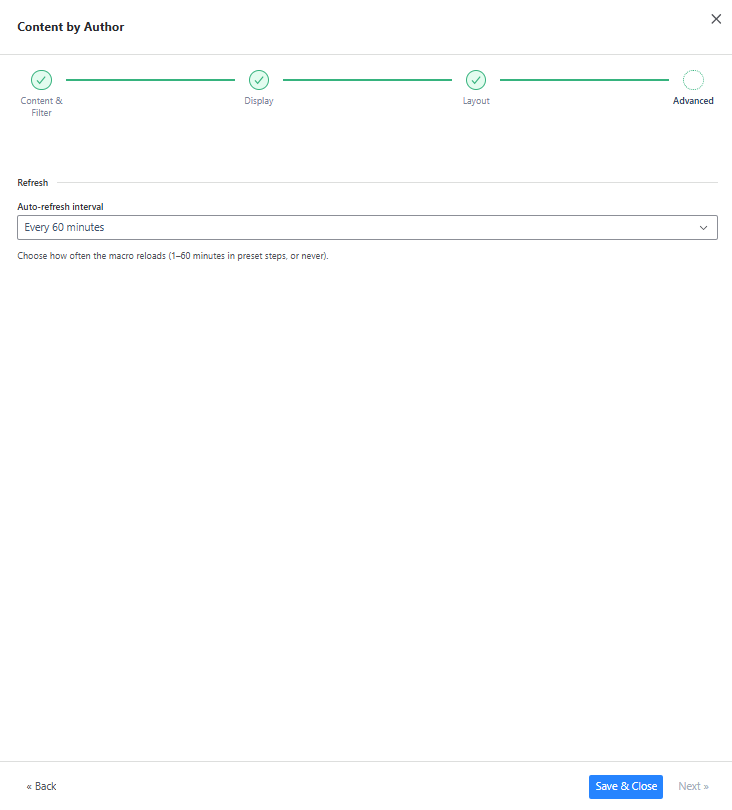
|
Tab |
Section |
Field / Option |
Description |
|---|---|---|---|
|
Advanced |
Refresh |
Auto-refresh interval |
How often the macro content automatically reloads. Options: Never, Every 1 minute, Every 5 minutes, Every 15 minutes. Default: Every 5 minutes. |
3.5 Use Cases
-
Team member profile page - show all pages created by a specific person in the Engineering space.
-
Author portfolio - embed on a personal page to list all documentation written by that author.
-
Onboarding pages - list all documentation created by the team lead to give new joiners a starting point.
-
Contribution tracking - add a Created Date filter set to "Last month" to see what a user published recently.