
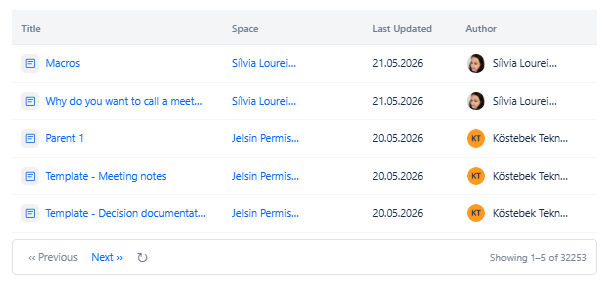
Displays a list of pages that a specific user has contributed to. A contribution includes creating, editing, or commenting on a page. This macro is broader than Content by Author, it captures all pages a person has touched, not just the ones they originally created.
Difference from Content by Author
Content by Author - shows pages the user created (is the original author of).
Content by Contributor - shows pages the user has created, edited, OR commented on.
Use Content by Contributor for a complete activity picture. Use Content by Author for authorship only.
6.1 Content & Filter Tab
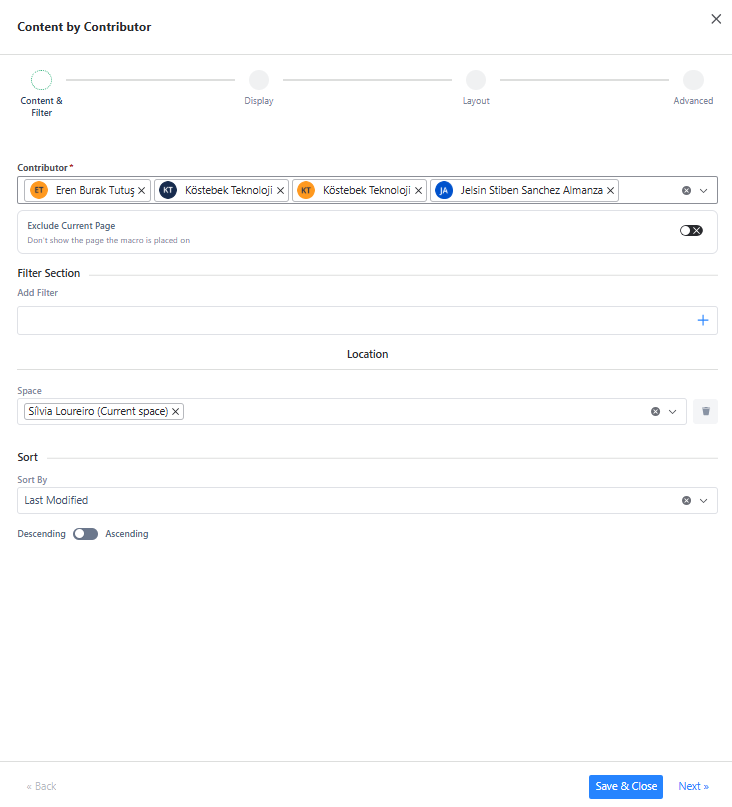
Required Fields
|
Field |
Type |
Description |
Required |
|---|---|---|---|
|
Contributor |
User Search |
Select one or more users. Results will include pages that any of the selected users have created, edited, or commented on. At least one contributor is required. |
Yes |
Optional Settings
|
Field |
Type |
Description |
Required |
|---|---|---|---|
|
Exclude Current Page |
Toggle |
Hides the page the macro is placed on from results. Default: off. |
No |
|
Add Filter |
Filter Panel |
Add optional filters to narrow results. See Section 2 for all available filters. |
No |
|
Sort By |
Dropdown |
Sort results by: Title, Created Date, Last Modified. |
No |
|
Descending / Ascending |
Toggle |
Toggle sort direction. Default: Descending. |
No |
Contributor filter tips
Use the Created Date or Last Modified filter to scope contributions to a specific period - for example, to see what a person contributed in the last month.
Combine with the Space filter to restrict results to a single space.
Use the Comment by User filter inside Add Filter to see only pages where the contributor left a comment rather than edited.
6.2 Display, Layout & Advanced Tabs
These tabs are identical to Content by Author. Refer to sections 3.2, 3.3, and 3.4.
6.3 Use Cases
-
Team activity report - show all pages contributed to by a team member in the last quarter.
-
Handover documentation - before someone leaves, surface all pages they have touched so the team can review them.
-
Onboarding - show new team members all pages that a mentor or team lead has contributed to.
-
Review workflow - track which pages a reviewer has commented on using the Comment by User filter.