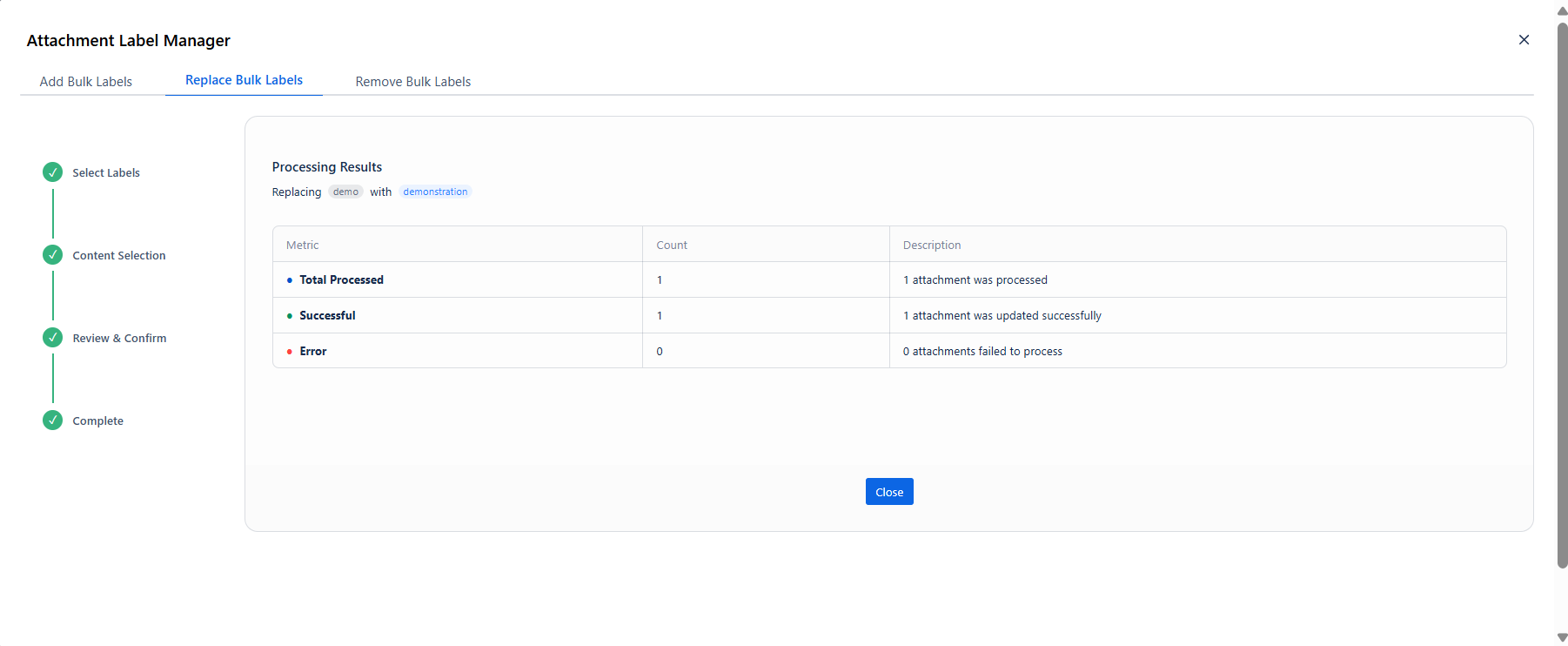
Swaps an existing label for a new one on selected attachments. The old label is removed and the new label applied in a single step. All other labels on those attachments remain untouched.
When to use: Renaming a label on uploaded files; rolling out a new taxonomy across attachments.
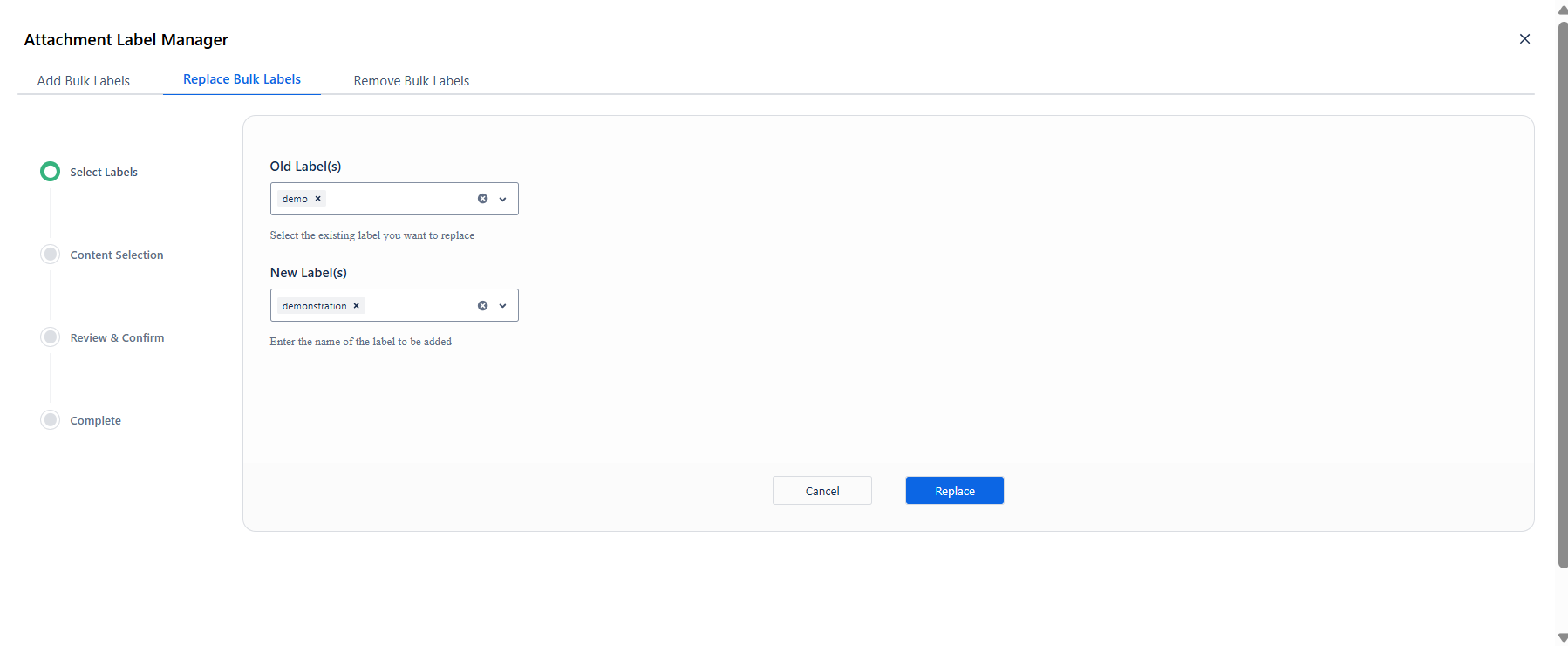
Step 1 - Select Labels
|
Field |
Purpose |
|---|---|
|
Old Label(s) |
The label currently on the attachments that you want to replace. |
|
New Label(s) |
The label that should replace it. Type a new name to create it on the fly. |
The Replace button is disabled until both fields have a value. Click Replace to advance.
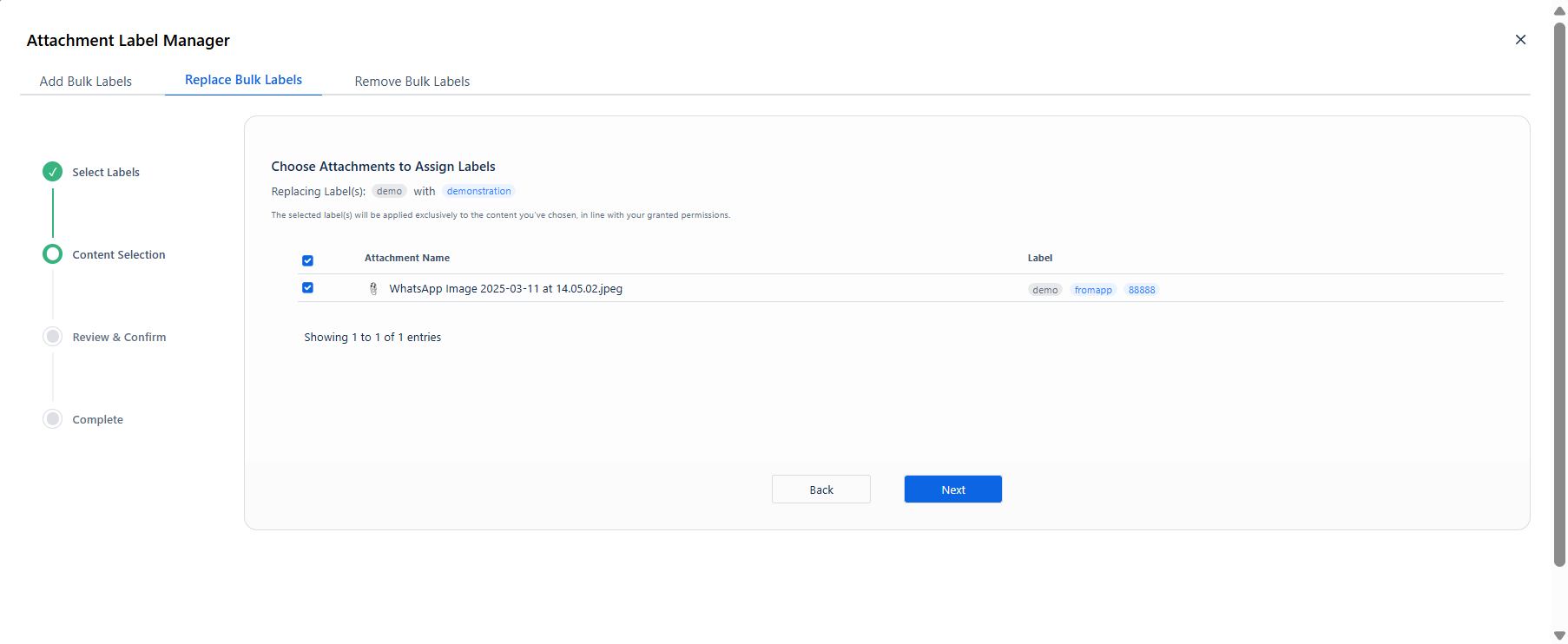
Step 2 - Content Selection
The attachment list shows the current labels on each file. The header confirms the replacement being made: Replacing Label(s): demo → with → demonstration
Check each attachment the replacement should apply to, then click Next.
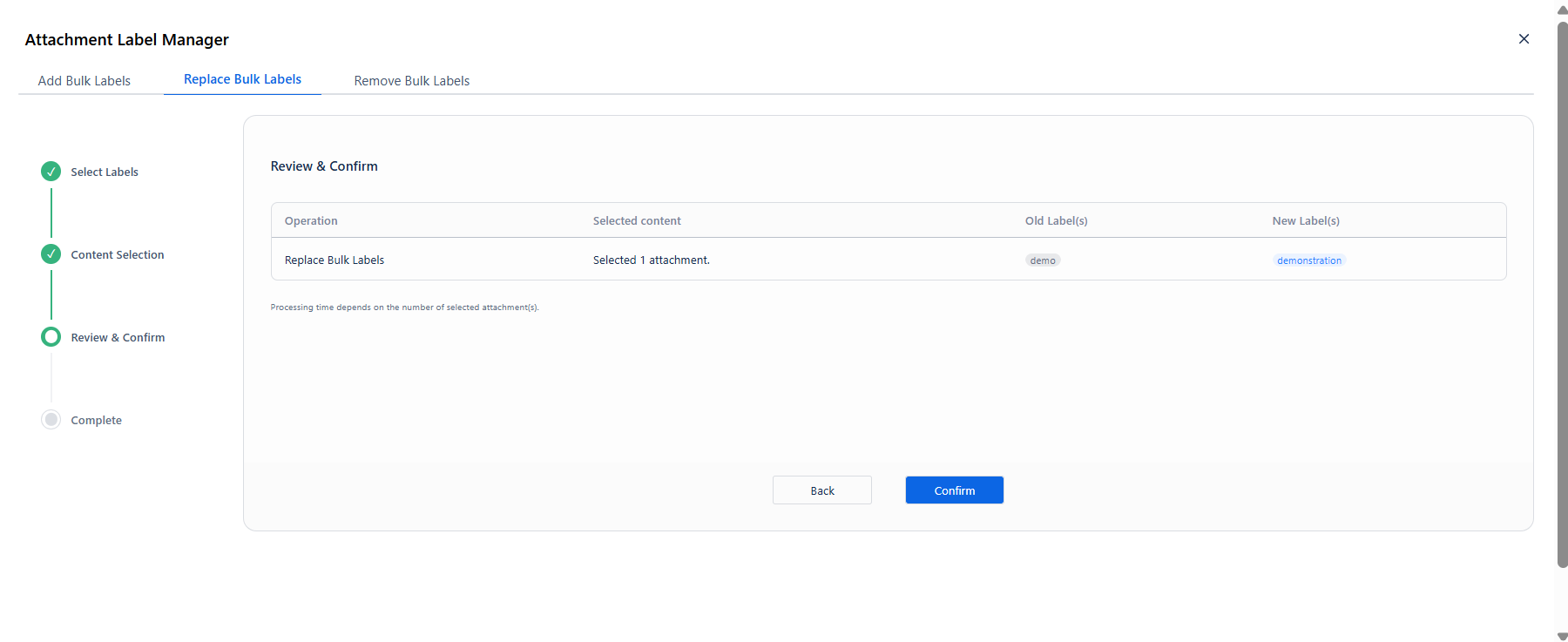
Step 3 - Review & Confirm
|
Column |
What it shows |
|---|---|
|
Operation |
Replace Bulk Labels |
|
Selected content |
Number of attachments in scope |
|
Old Label(s) |
The label being removed |
|
New Label(s) |
The label being applied in its place |
Click Confirm to start the operation.
Step 4 - Processing & Results
The progress screen shows the same metadata as the Add operation, with Content Type: attachment and Attachment(s) to Process as the page count label.
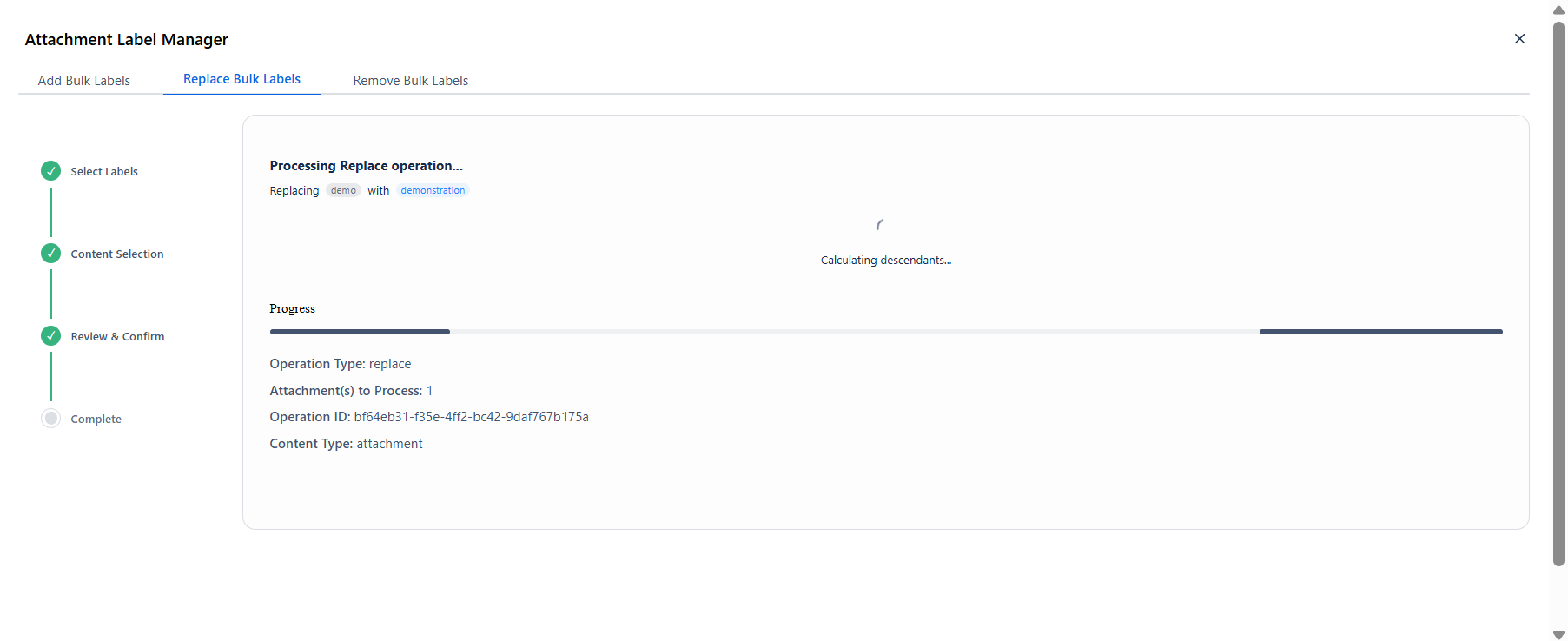
Results show Total Processed, Successful, and Error. Click Close when done.