
The Smart Dashboard Two Dimension Chart Gadget displays a cross-tabulated matrix analysis of Jira issues by combining two distinct Jira fields across an X-axis and Y-axis. When connected to a Smart Dashboard Control Gadget, the matrix updates automatically in real time to reflect your active filter criteria.
➕ How to Add the Two Dimension Chart Gadget
-
Open your Jira Dashboard, select Edit dashboard, and then choose Add gadget.
-
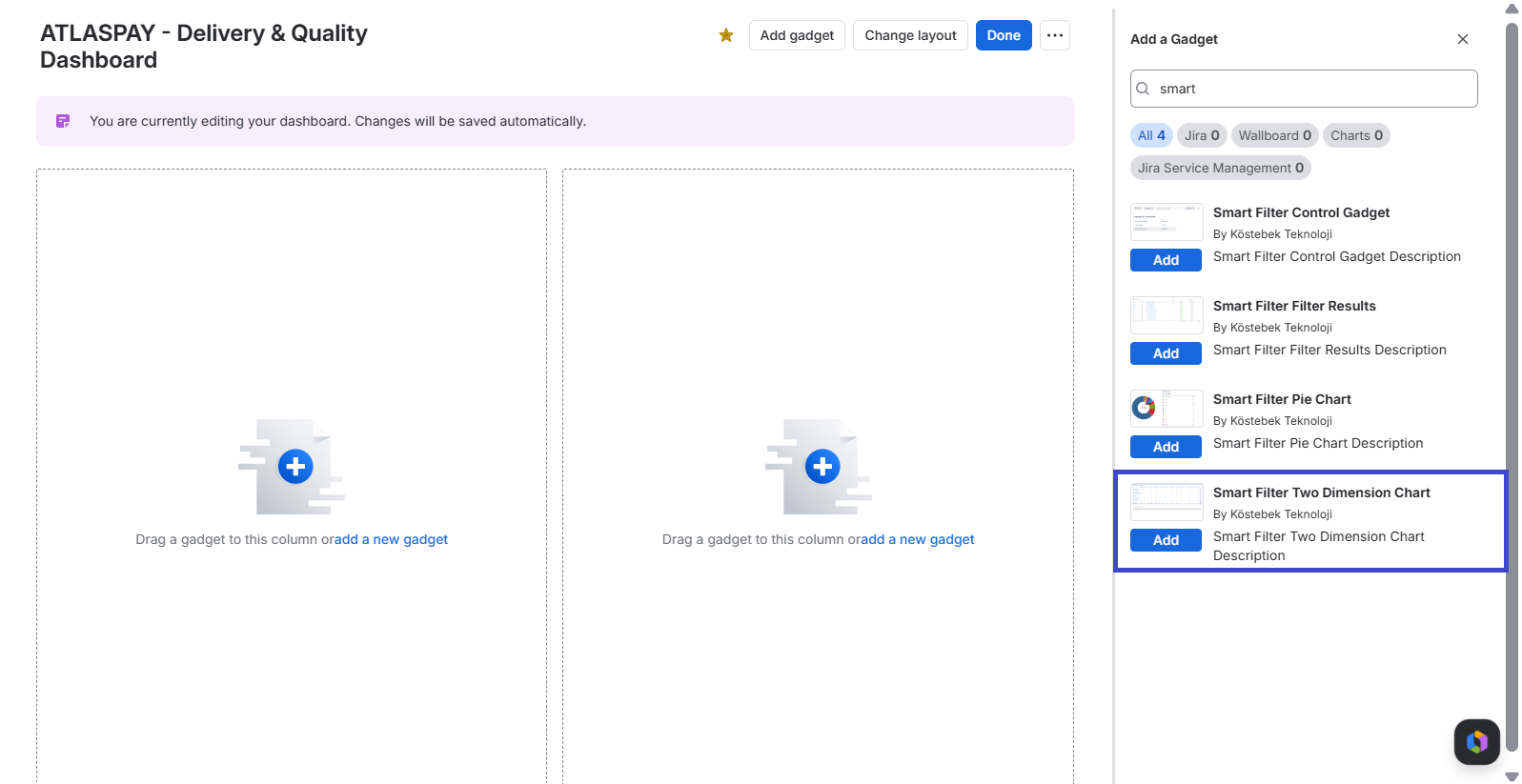
In the gadget panel, search for Smart Dashboard Two Dimension Chart and click Add.
-
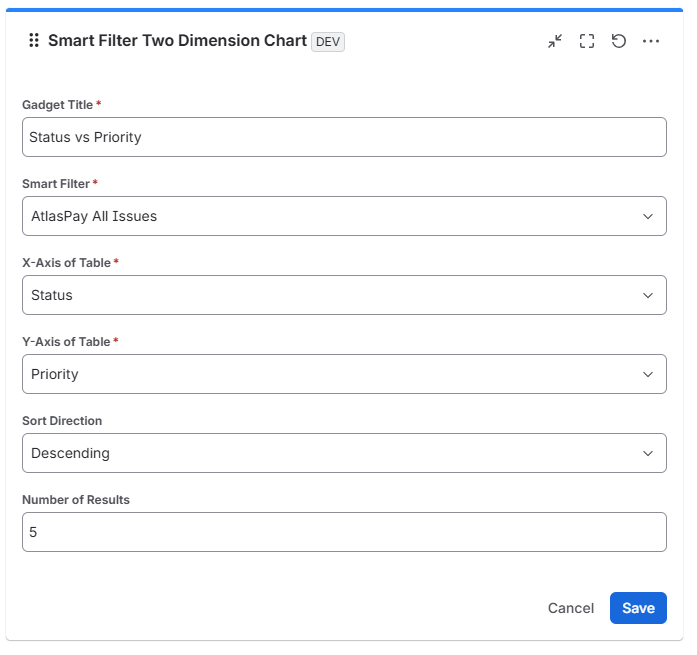
In the gadget settings, add a clear Title and select the pre-created Smart Filter you want to use.
-
Configure the chart dimensions: choose the Jira field for the X-Axis to define the matrix columns (for example, Assignee), and choose the Jira field for the Y-Axis to define the matrix rows (for example, Status).
-
Select the “Sort Direction” and the “Number of Results” you want.
-
Click Save.
💡 How to Use the Two Dimension Chart Gadget
-
Analyze Intersecting Data: Review cell values to quickly understand how work is distributed across two variables at once (e.g., how many In Progress tasks are assigned to each team member).
-
Interactive Filtering: Change criteria in the Smart Dashboard Control Gadget on the same dashboard to narrow down matrix counts in real time.
-
Identify Workload & Bottlenecks: Spot overloaded team members, unassigned critical items, or blocked issues across projects instantly.
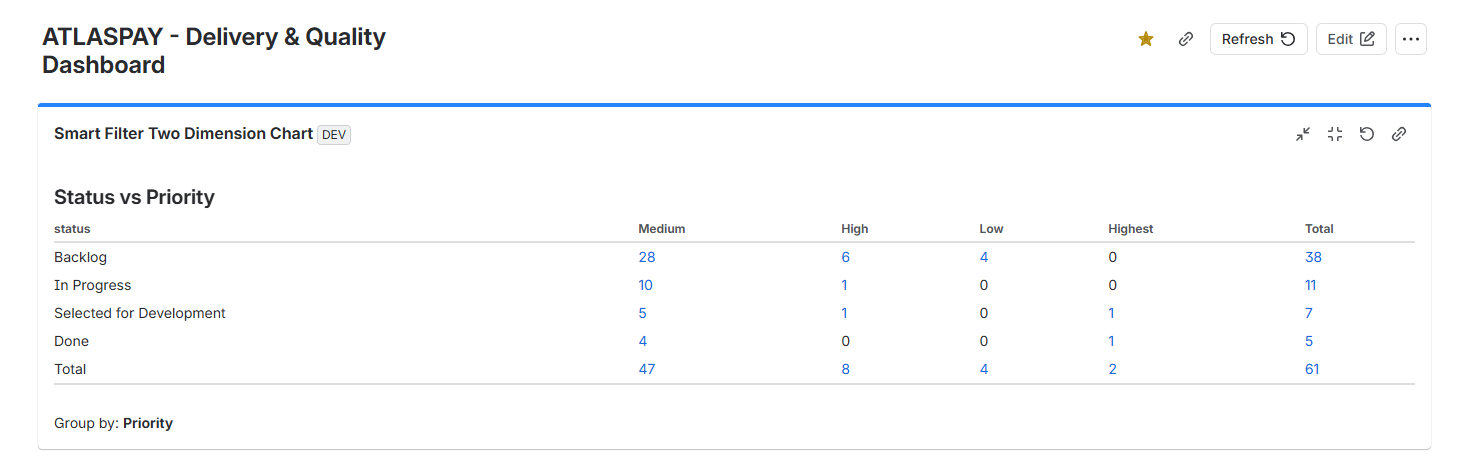
Set Assignee as the X-Axis and Status as the Y-Axis to create an effective workload matrix for daily standups, sprint reviews, and team capacity planning.