
Financials for Jira is a Forge-based Jira Cloud app. Once installed from the Atlassian Marketplace, it appears in the left sidebar under Apps - no additional configuration is required to access it.
2.1 Requirements
-
Jira Cloud instance
-
Financials for Jira installed from the Atlassian Marketplace by a Jira admin
-
For permissions required to use the app, see Permissions.
-
For project-level operations (creating plans, actuals, or managing project settings), the appropriate local permission must also be granted within the specific project.
Global permissions are managed by a Jira administrator from Jira Settings → System → Global permissions. Local project permissions are managed by a Financials Administrator from within the app.
2.2 Opening the app
-
Open the Jira instance and, in the left sidebar, scroll to Space apps.
-
Click Financials for Jira.
-
The app opens and shows the Projects panel.
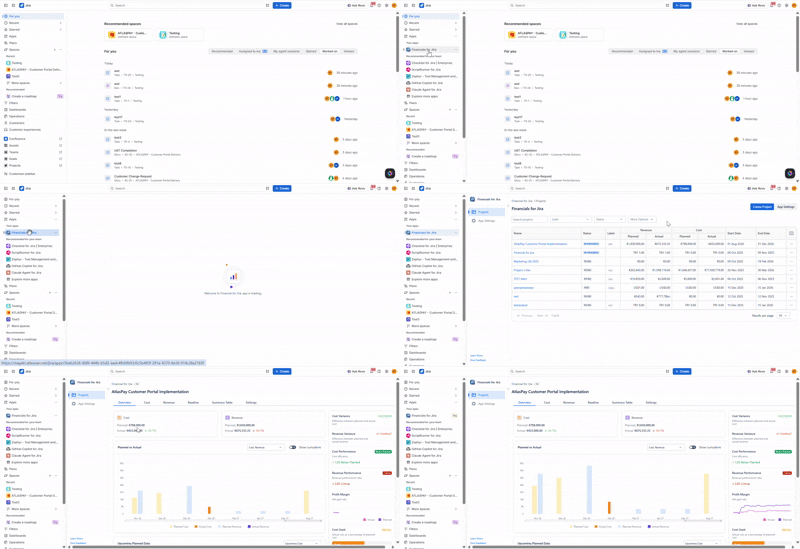
When you open Financials for Jira, it displays all the financial projects created in the app, regardless of which space you are in.
2.3 First-time configuration
When you open Financials for Jira for the first time, the Projects panel will be empty. Before creating your first financial project, we recommend setting up the supporting data in App Settings first.
Follow this recommended order:
|
Step |
What to set up |
Why |
|---|---|---|
|
1 |
Categories |
Classify your revenue and cost entries (e.g., Labour, Software, Travel) |
|
2 |
Groups |
Organise categories into higher-level groupings for reporting |
|
3 |
Companies |
Define the companies or clients associated with your financial data |
|
4 |
Statuses |
Create the status values used to track the state of plans and actuals |
|
5 |
Create your first Project |
Define the project scope, currency, and assign a project leader |
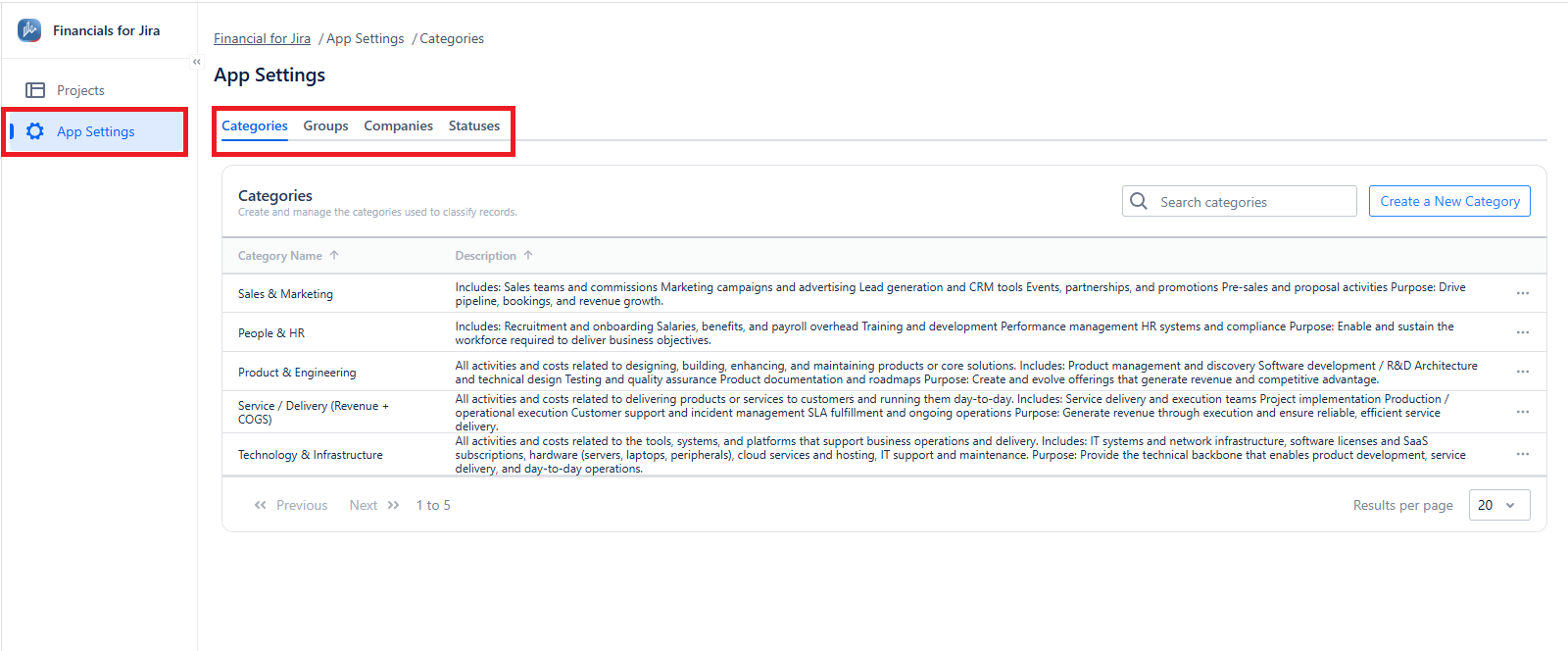
Think about the financial structure you want to report on before you start. The categories, groups, and companies you define here will be available across all financial projects in your Jira instance.
2.4 Granting global permissions
-
Click the ⚙️ Settings icon in the top-right corner of Jira.
-
Select System from the Jira Settings section.
-
Click Global permissions in the left-hand menu.
-
Locate the Financials for Jira permission entries and assign the appropriate groups or user.