
1. Create a Category
1.1. Prerequisites
User must have administrator permissions.
1.2. How to
To create a Category in Financials for Jira:
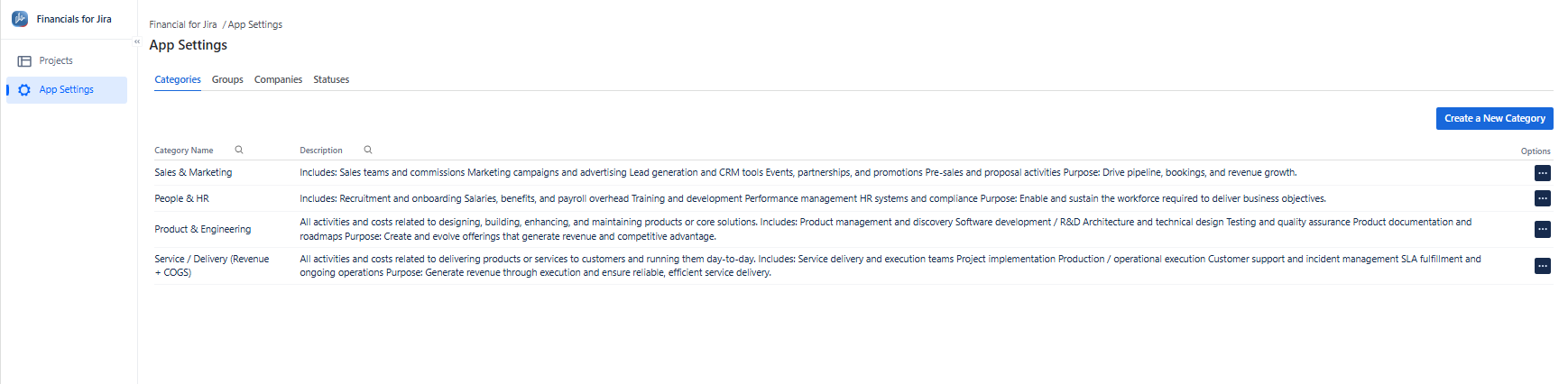
1.2.1. From the left-hand menu, click App Settings.
1.2.2. From the top menu, click Categories to open the list panel.
Categories are used to organize, group, and manage similar items, making financial data easier to understand and navigate.
Once created, categories can be selected when adding Revenue or Cost entries, allowing you to link them to the appropriate category for better Financials management.
|
|---|
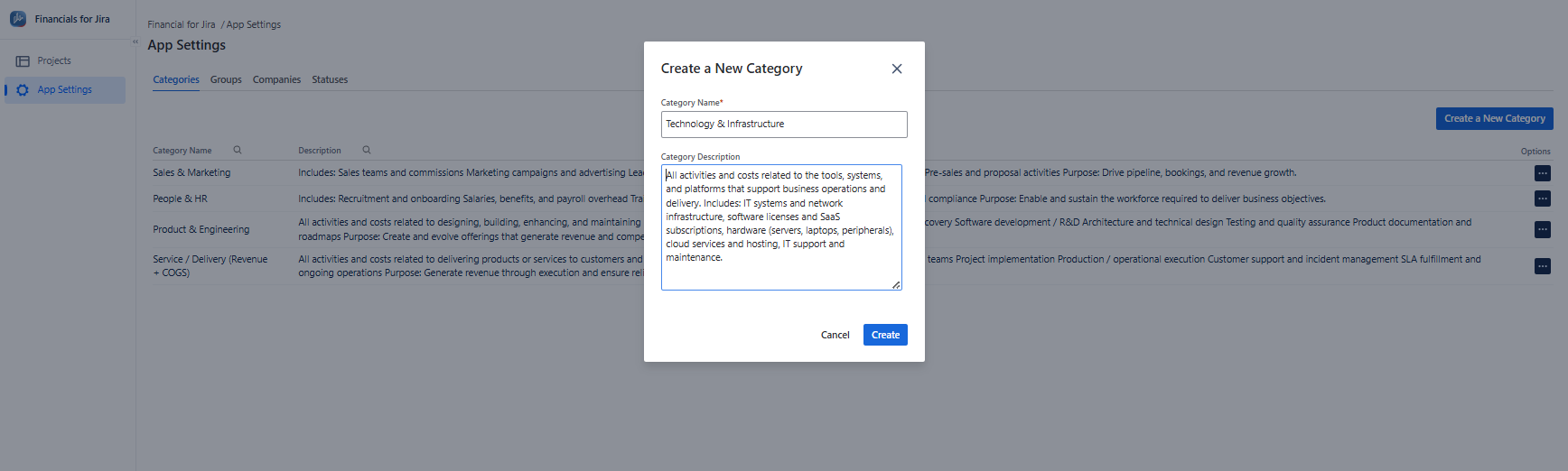
1.2.3. Click on the "Create a New Category" button in the upper right corner;
|
|---|
1.2.4. Proceed by clicking on “Create” button.
1.3. Constraints
When it comes to creating a Category , there are a few important considerations.
1.3.1. Category Name is mandatory.
1.3.2. Category names must be unique.
1.3.3. Creating a Category requires the necessary administrator permissions.
1.4. Issues that may arise
When you're attempting to Create a Category, there are a couple of potential issues that might come up.
1.4.1. Lack of administrator permissions will prevent Category creation.
1.4.2. Failing to complete required fields will result in an error message.
1.4.3. Using a duplicate name will prevent the Category from being created.