
1. View Jira Issue Details
1.1. Prerequisites
A user with viewing permissions can view details of an associated Jira Issue for a specific Project.
1.2. How to
To view details of a Jira Issue associated with a Revenue/Cost, follow these steps:
1.2.1. Go to the Financials panel.
1.2.2. Choose the Project for which you want to view by clicking on the Project name link. This will take you to the overview page.
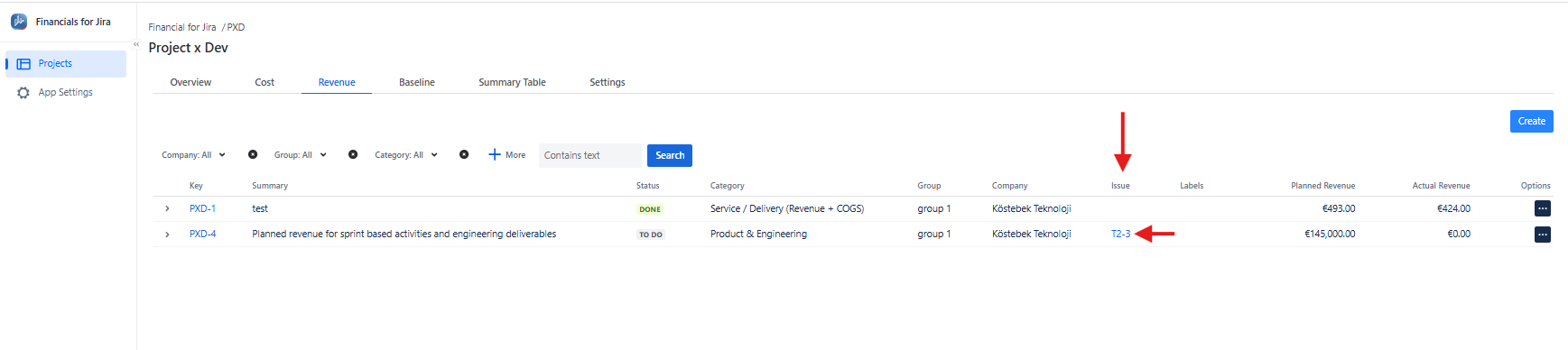
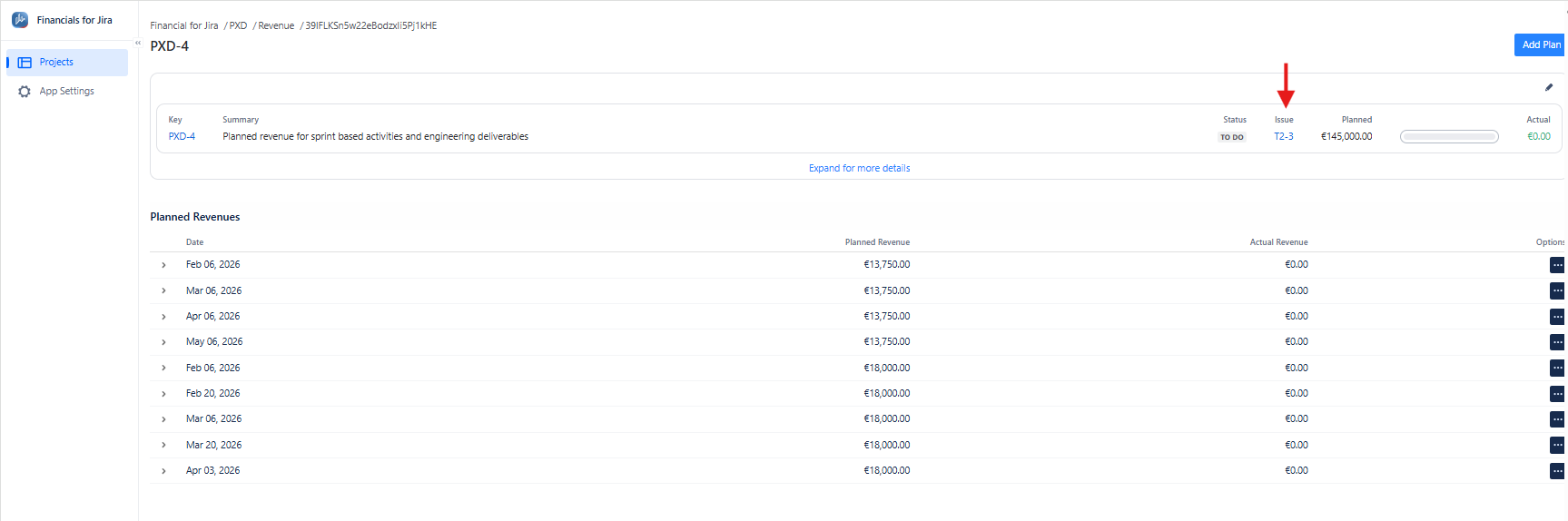
1.2.3. On the left-hand side, click on the Revenue/ Cost tab, which will open the Revenue/ Costs list panel. On this screen, the issue associated with Revenue/Cost, if any, appears in the Issue column. You can also view the associated issue from the Revenue/Cost details screen.
|
|---|
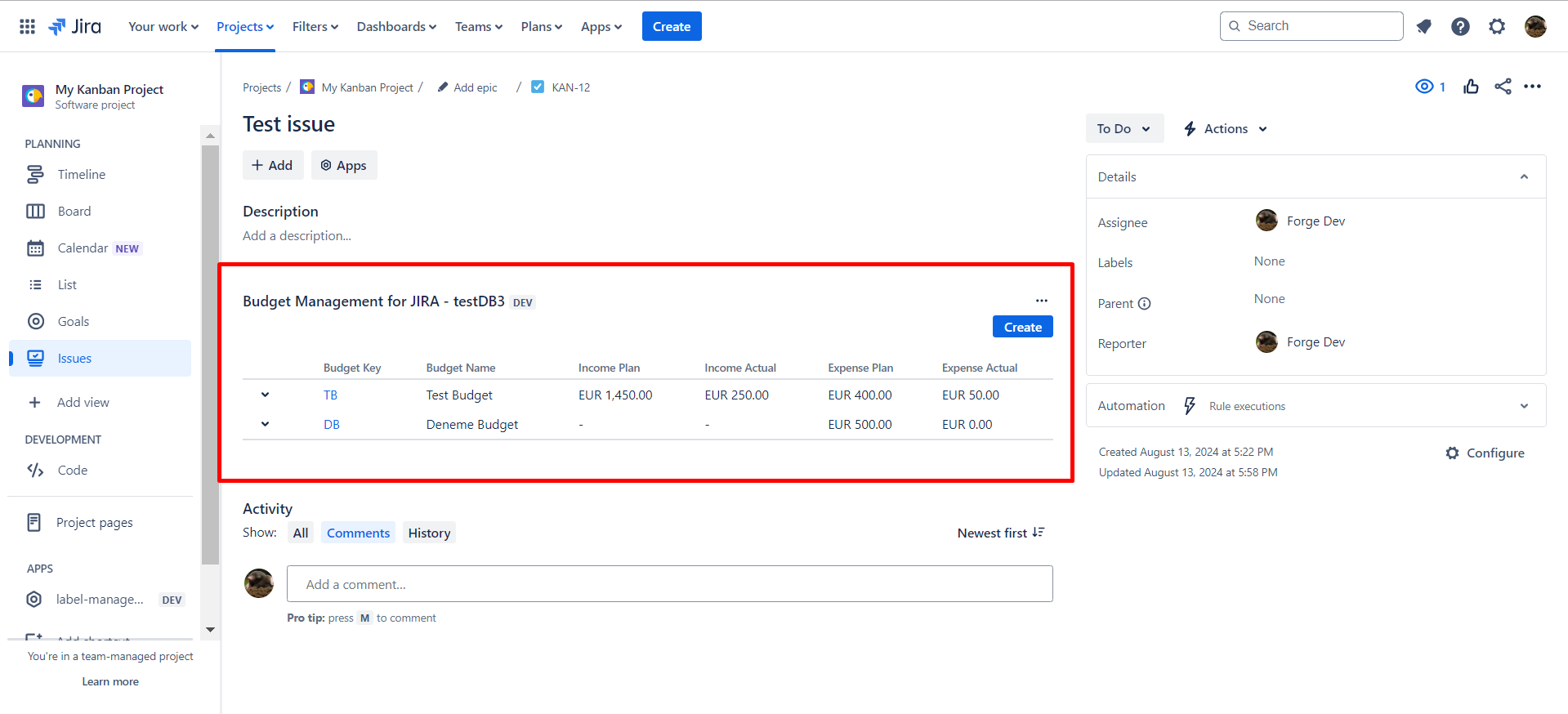
Click on the issue key for the Jira Issue Details screen. This will take you to the issue details screen.
|
|
|---|
1.2.4. Here, you can find all information about an issue associated with a Revenue/Cost that you want.
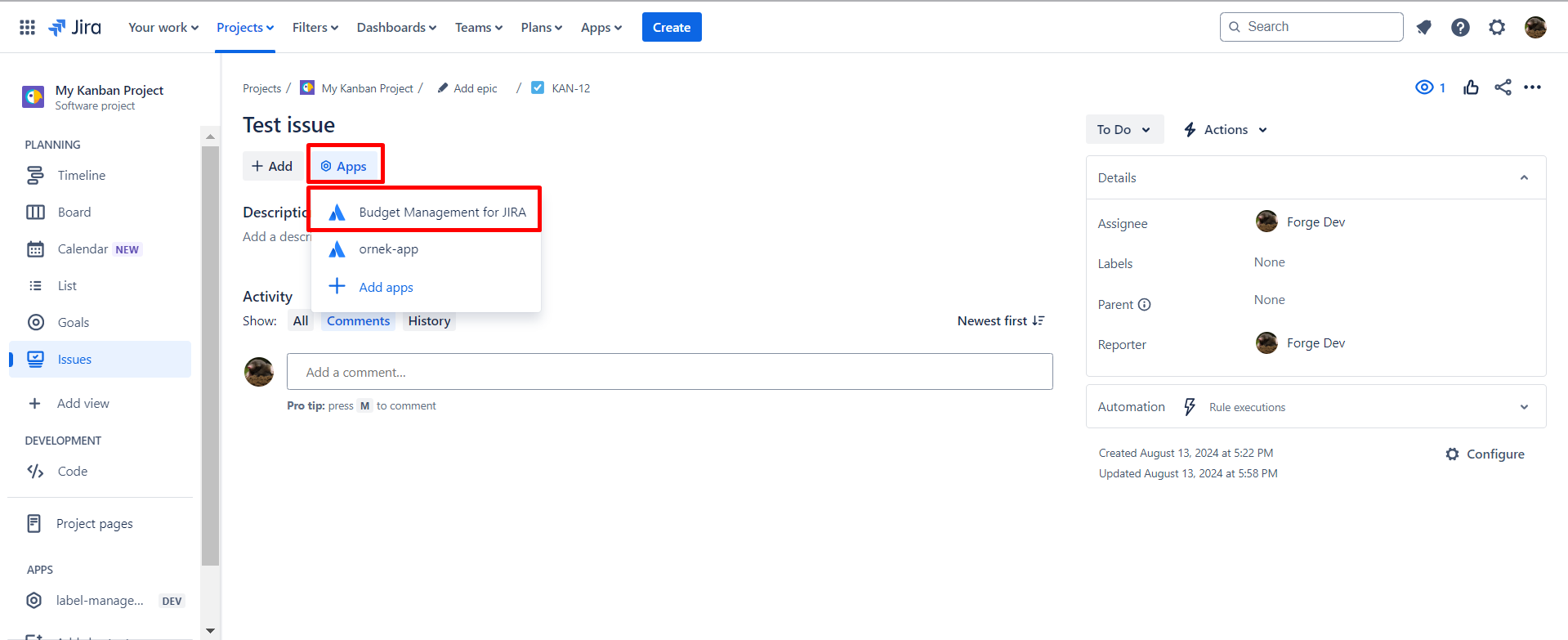
1.2.5. If Financials for Jira is not on the screen, you can add it by clicking on the Apps tab.
|
|
|---|
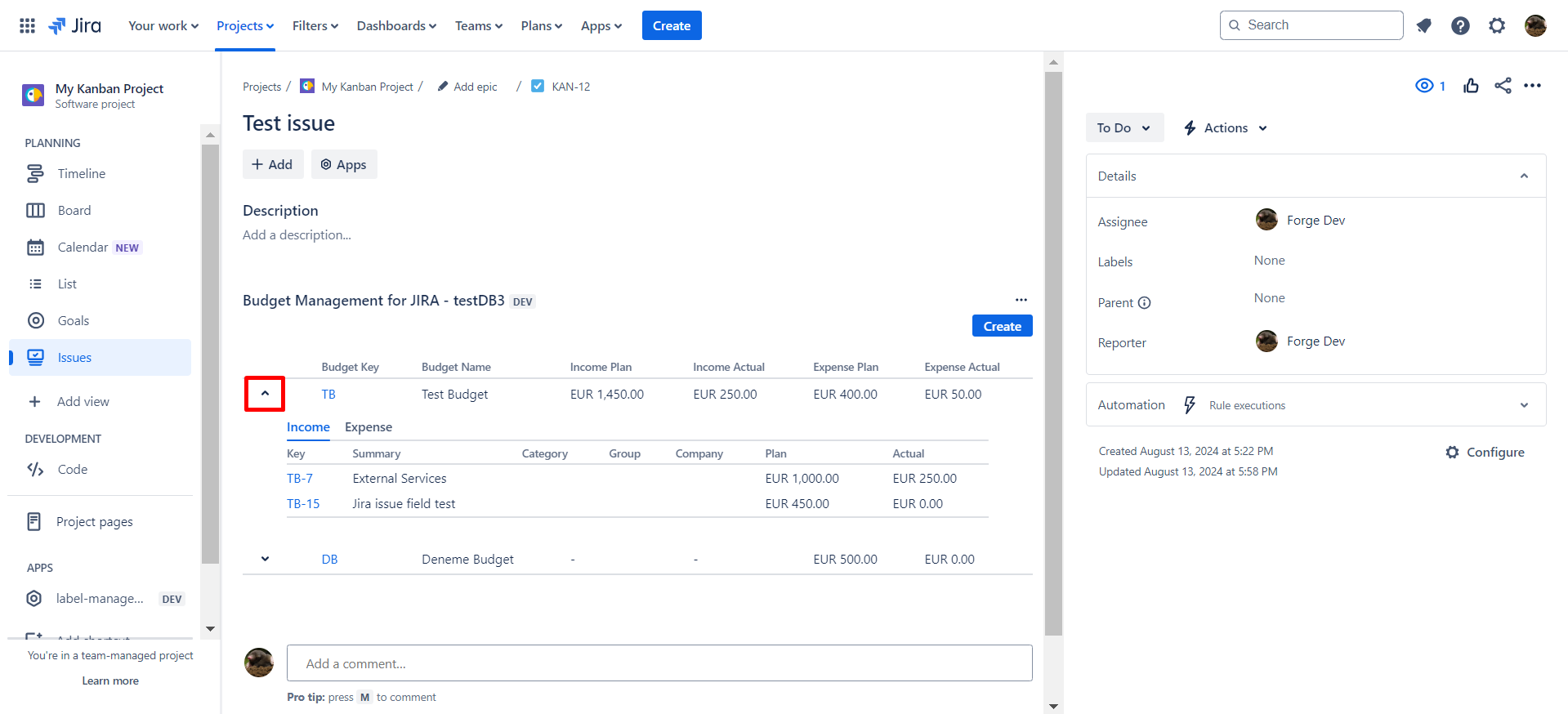
1.2.6. You can easily find out the associated Project keys, Project names and Revenue/Cost details with Jira Issue.
|
|
|---|
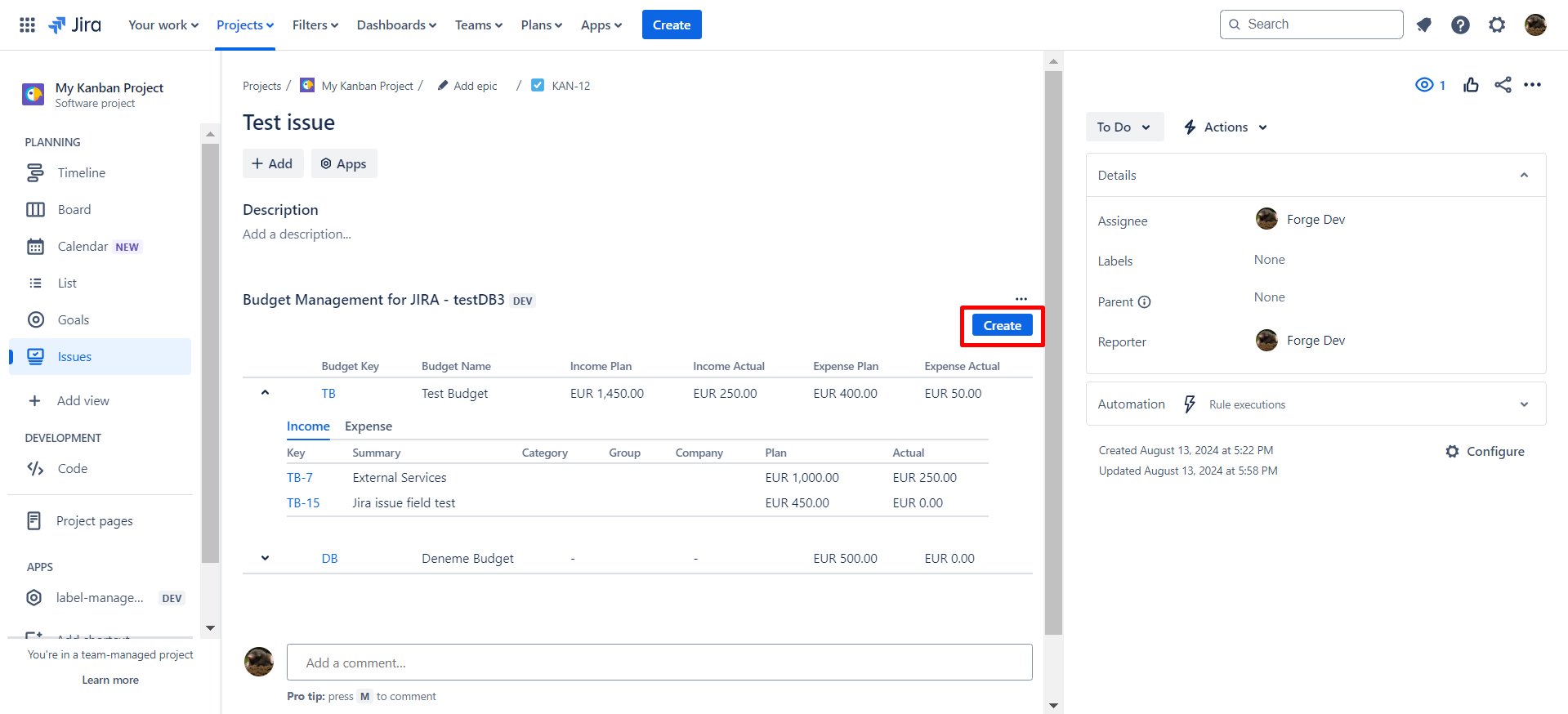
1.2.6. You can create a new Revenue/Cost associated with this issue by clicking the Create button.
|
|
|---|
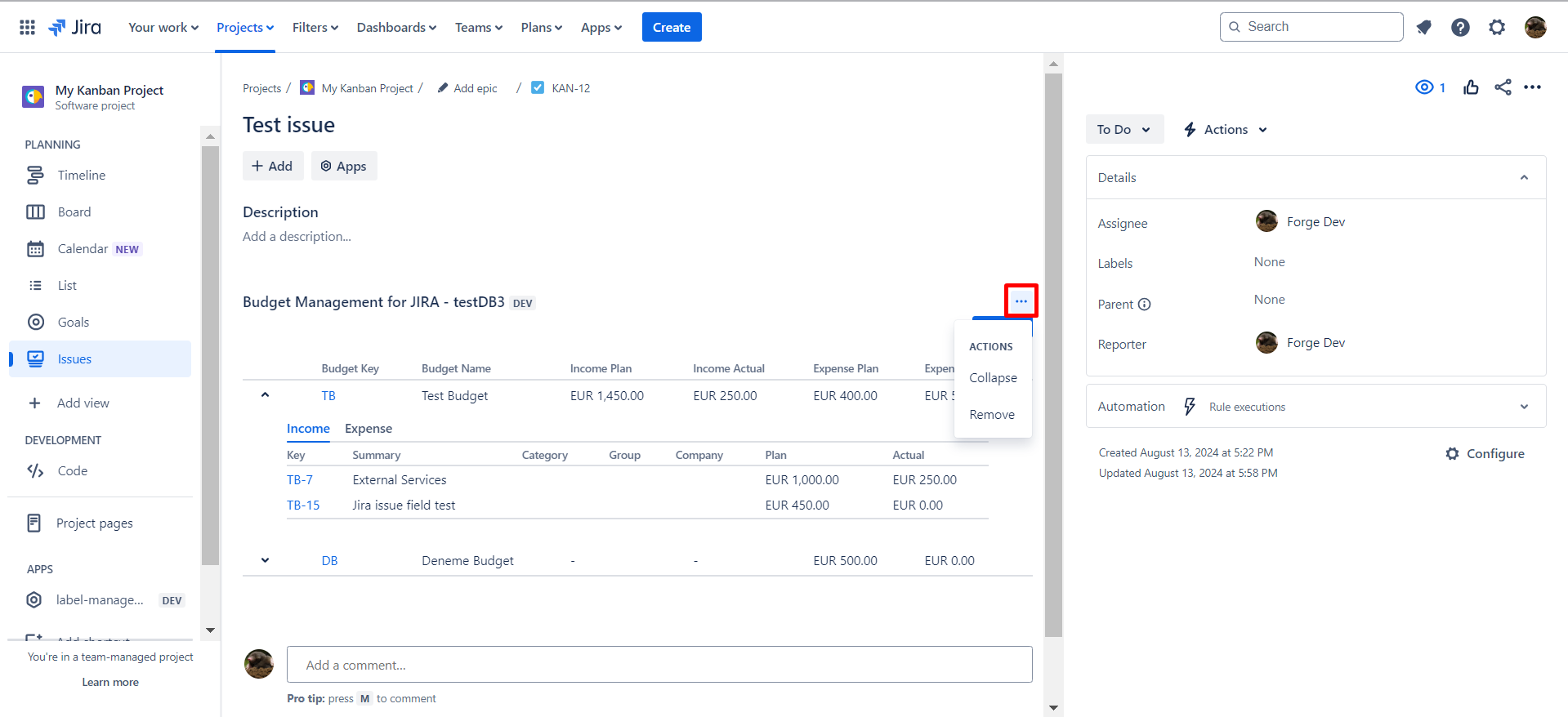
1.2.7. Click the 
|
|
|---|
1.3. Constraints
When it comes to View Jira Issue details page, there are a few important considerations.
1.3.1. Viewing a Jira Issue details page requires appropriate permissions.
1.3.2. If you lack permissions to access the project containing the issue, contact the project administrator to request access.
1.4. Issues that may arise
When you attempt to View Jira Issue details page , there are several potential issues that you might encounter:
1.4.1. Lack of permissions will prevent access to the issue details. Contact the project administrator to obtain the necessary permissions.