
1. Update a Revenue/ Cost Actual
1.1. Prerequisites
A user with editing permissions can make updates to an Revenue/ Cost Actual for a specific Project.
1.2. How to
To update a Revenue/ Cost Actual within the Financials panel, follow these steps:
1.2.1. Go to the Financials for Jira Configuration Page.
1.2.2. Choose the Project for which you want to Update by clicking on the Project name link. This will take you to the overview page.
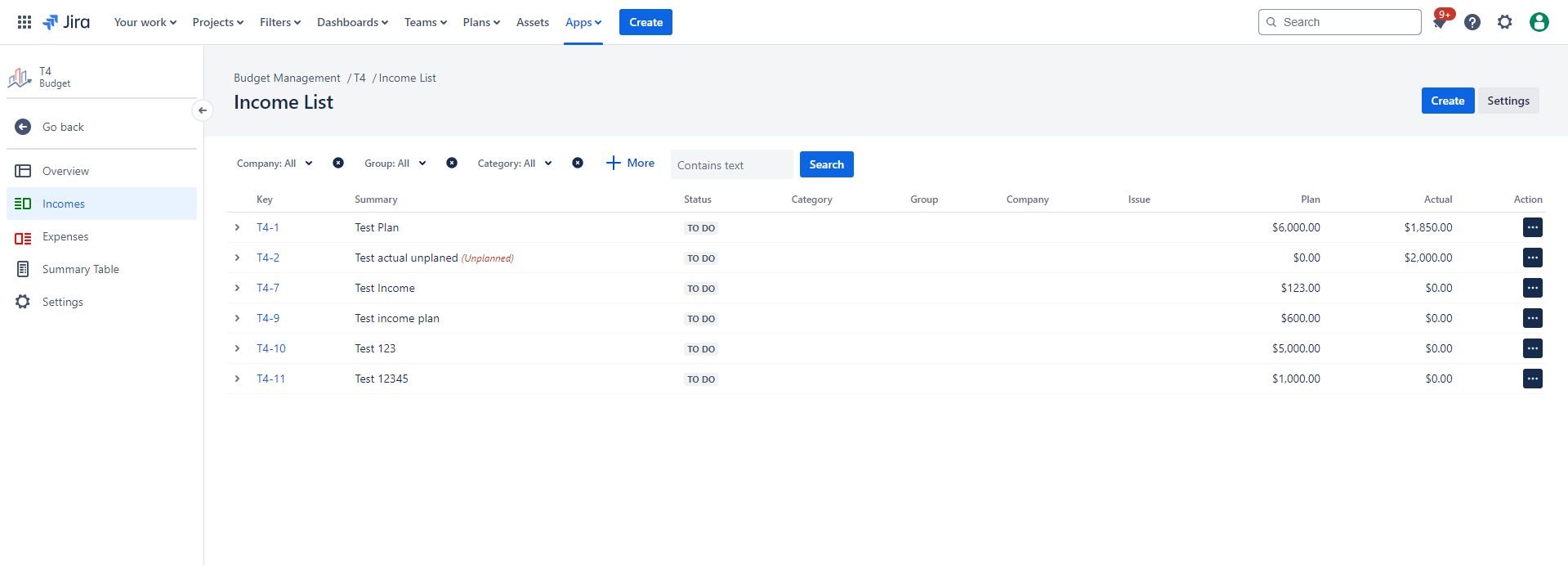
1.2.3. On the left-hand side, click on the Revenue/ Cost tab, which will open the Revenue/ Costs list panel.
|
|
|---|
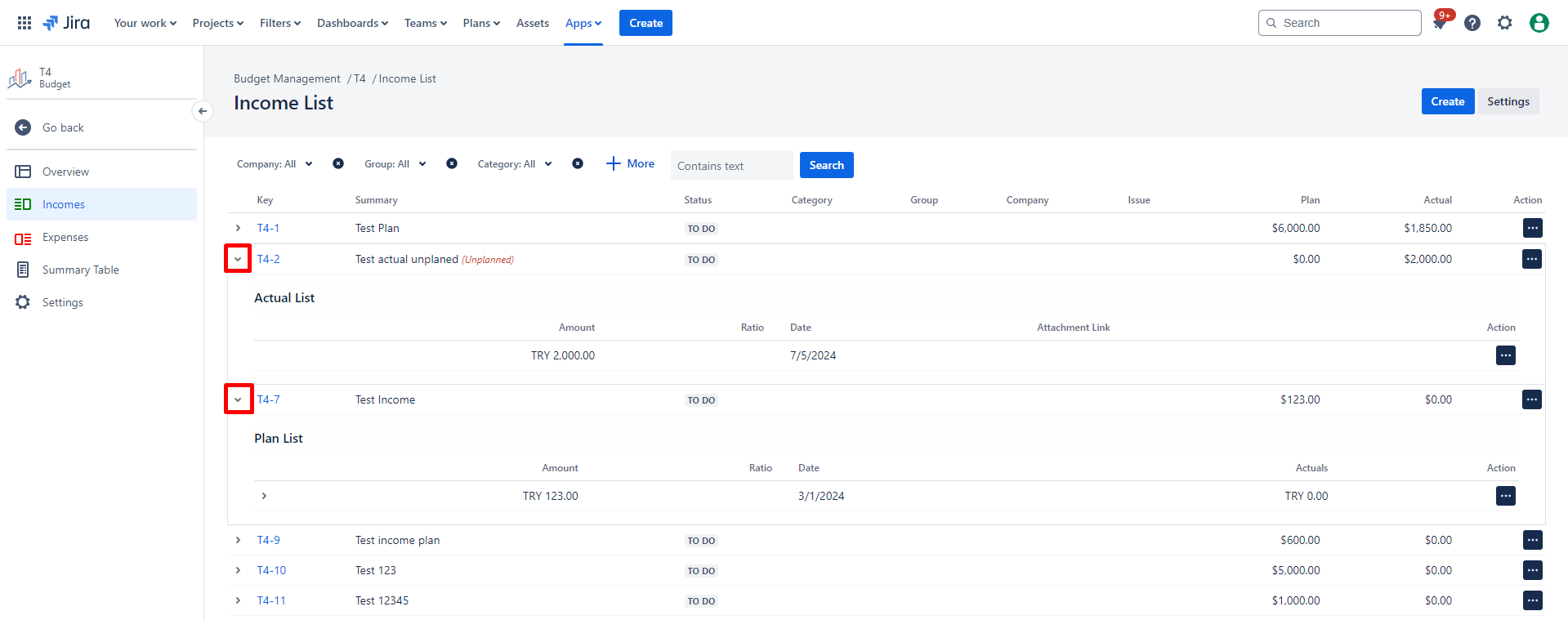
1.2.3.1 To access more information about the Revenue/ Cost, click on the arrow located on the left side next to the Revenue/ Cost's name or click the key of an Revenue/Cost directly.
|
|
|---|
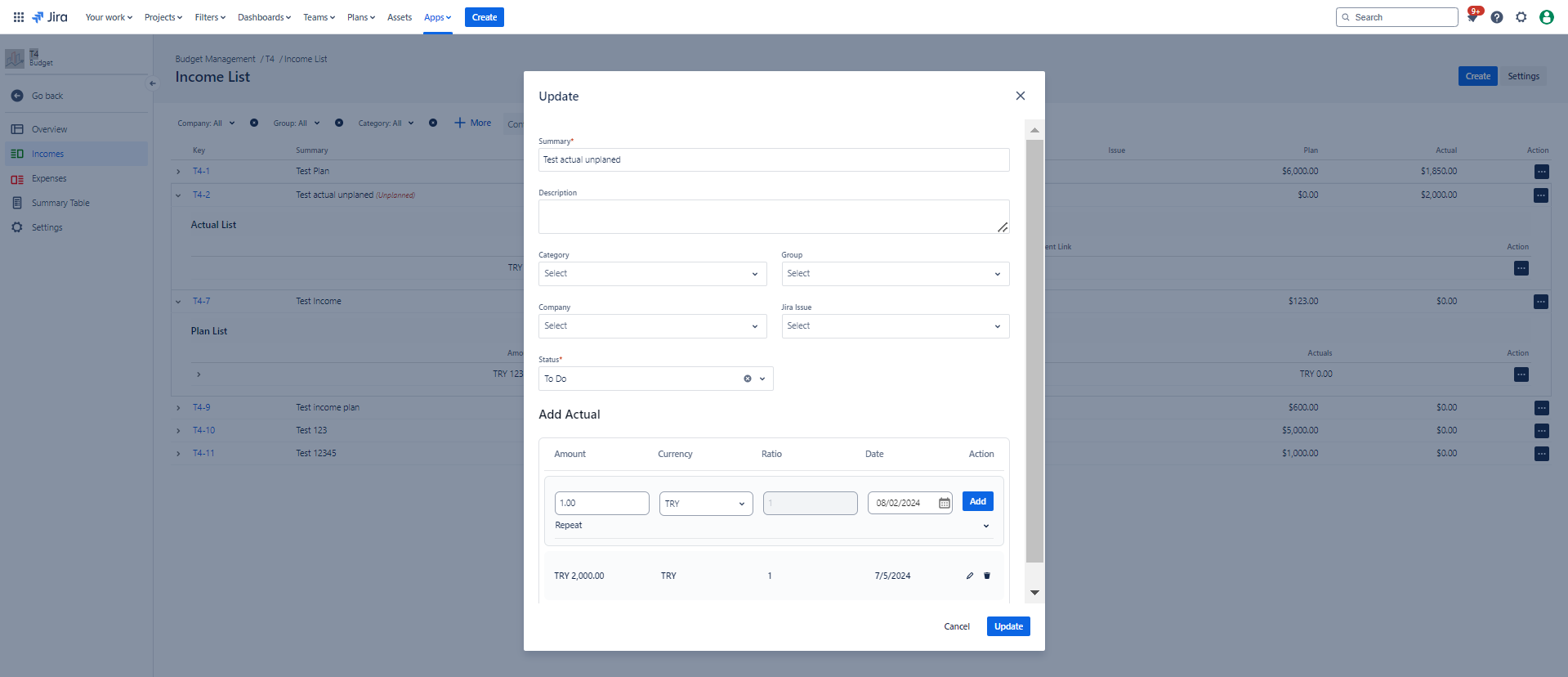
1.2.4. Choose the Revenue/ Cost Actual you wish to edit/update from the list by clicking on the "Update Revenue/Update Cost" :edit:icon from “Action”.
1.2.5. Here, you can make the necessary updates to the fields you require.
1.2.6. Finally, click the "Update" button to save your changes.
|
|
|---|
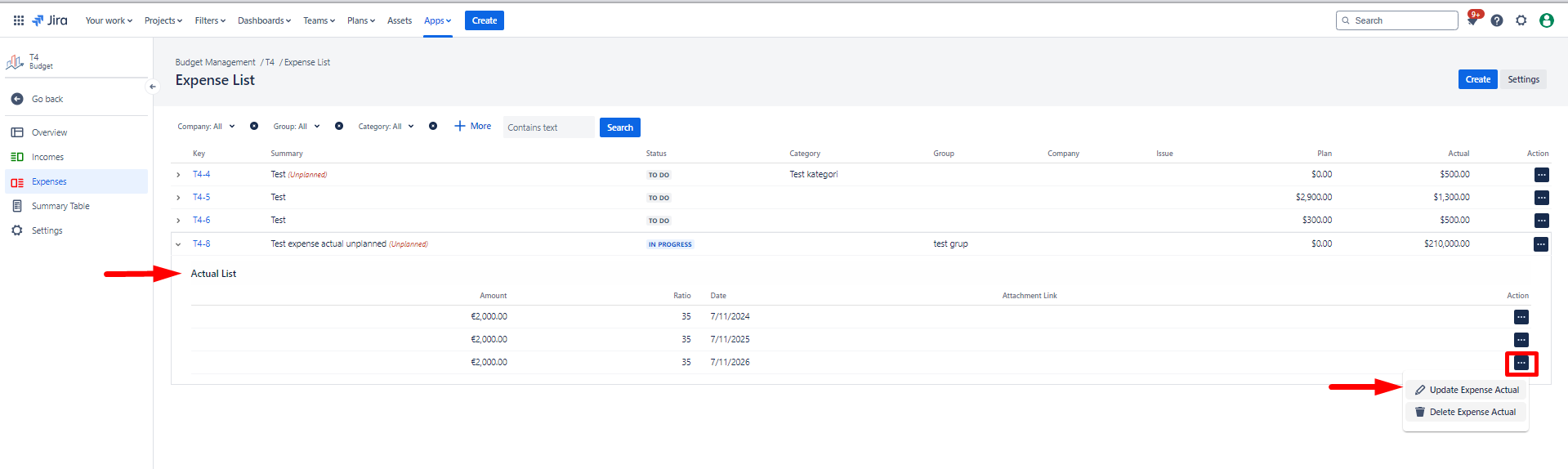
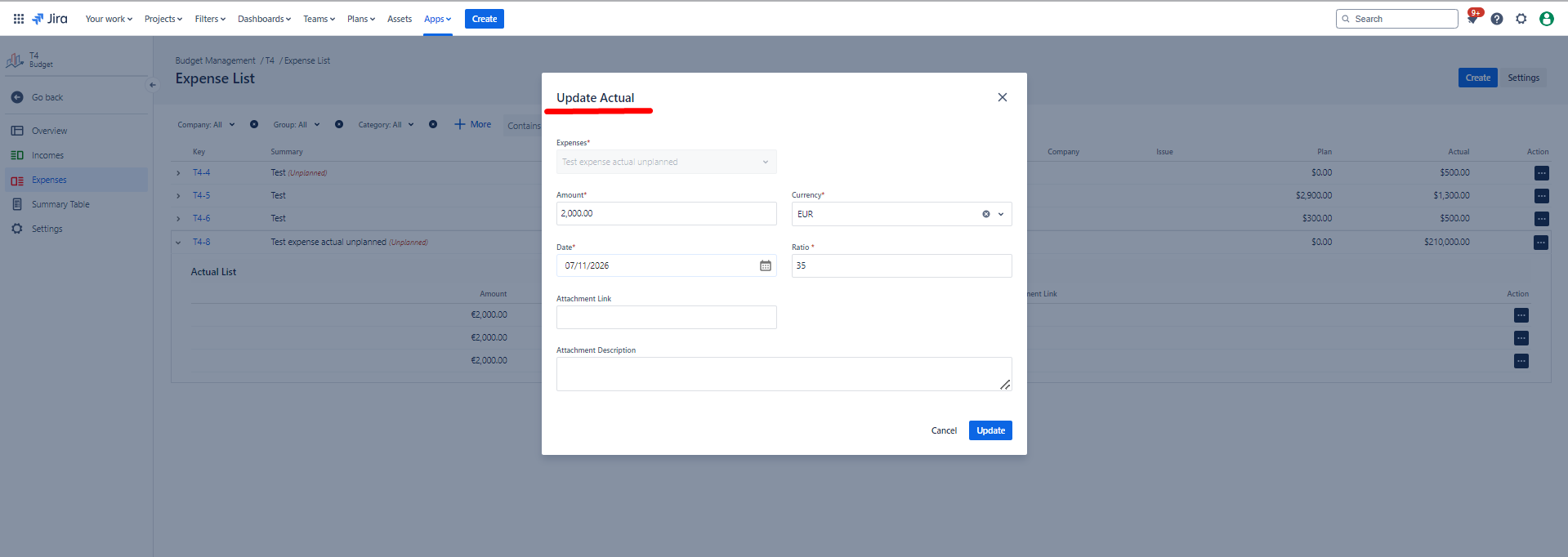
To update an Revenue/ Cost Actual within Actual List specifially, follow these steps:
1.2.7. Choose the Revenue/ Cost Actual you wish to update from the Revenue/Cost Actual List by clicking on the "Update Revenue/Cost Actual" :edit:icon. You can change amount, currency and date of an actual.
|
|
|---|
1.3. Constraints
When it comes to Update Revenue/ Cost Actual, there are a few important considerations.
1.3.1. An Revenue/Cost Actual with an associated record cannot be deleted.
1.3.2. If an Revenue/Cost Plan has at least one actual Revenue/Cost, the Revenue/Cost type cannot be updated.
1.3.3. An Revenue/Cost Actual must have at least one associated Revenue or Cost.
1.4. Issues that may arise
When you attempt to Update Revenue/ Cost Actual, there are several potential issues that you might encounter:
1.4.1. Failure to complete required fields will result in an unsuccessful update.
1.4.2. Lack of necessary permissions will prevent the update.
1.4.3. If you lack editing permissions for the associated Project, updating the Revenue/Cost Actual will not be possible.