
1. Delete a company
1.1. Prerequisites
A user with administrator permissions, Deletes a Company.
1.2. How to
To Delete a Company within the Financials for Jira, follow these steps:
1.2.1. From your admin section, on your left-hand side menu click on the :cog: settings icon, this action will take you to the overview page.
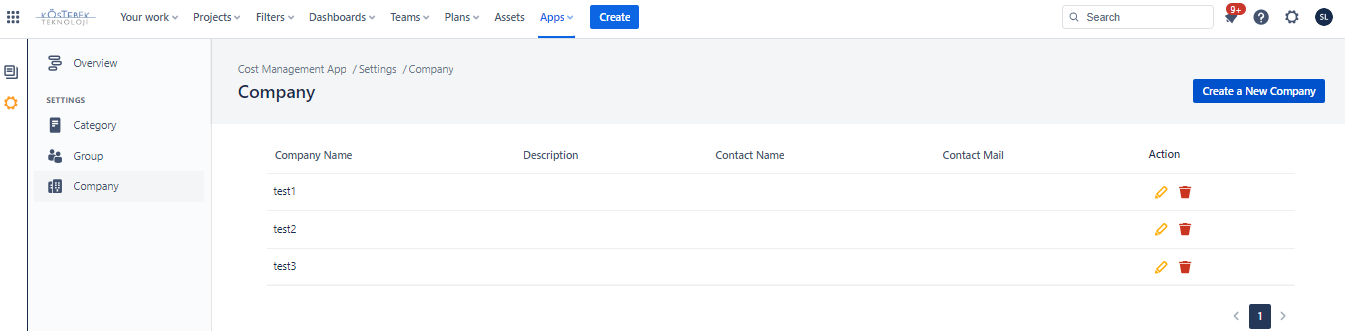
1.2.2. On the left-hand side menu, click on Company, which will open the company's panel list.
|
|---|
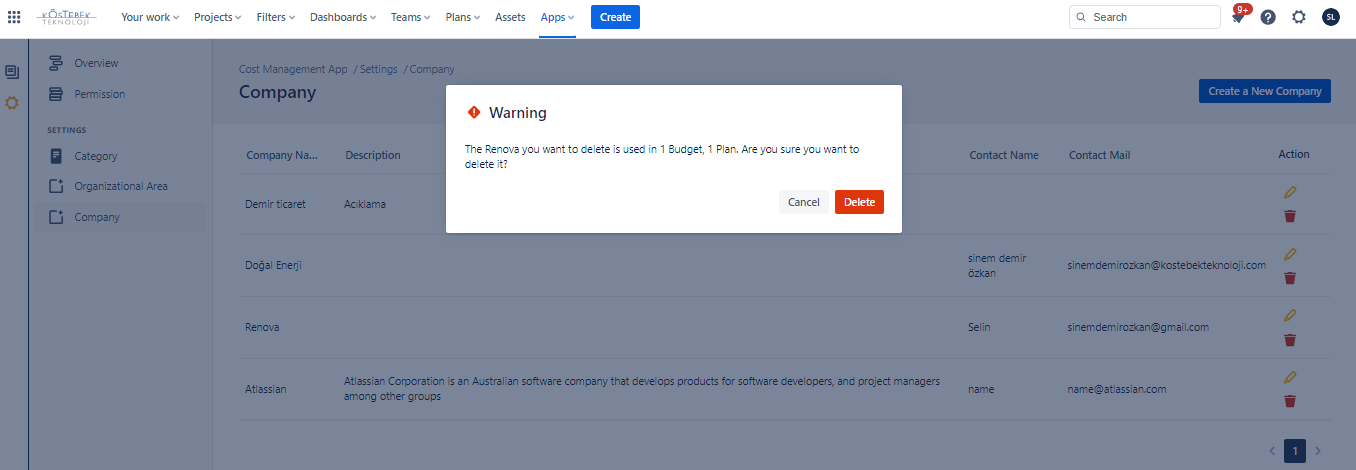
1.2.3. Choose the company you wish to Delete from the list by clicking on the Delete:delete:icon, and confirm that you want to proceed with this operation by clicking Okay.
|
|---|
1.3. Constraints
When it comes to deleting a Company , there are a few important considerations.
1.3.1. You must have administrator permissions to delete a company.
1.3.2. Deleting a company is irreversible, and the action cannot be undone.
1.4. Issues that may arise
When you're attempting to delete a company, there are a couple of potential issues that might come up.
1.4.1. Lack of administrator permissions will prevent the company from being deleted, and an error message will be displayed.