
1. Give a "Financials Administrator" permission from Jira Administrator
1.1. Prerequisites
A user with Jira administrator permissions, gives the “Financials for Jira Permissions”.
1.2. How to
To grant permissions, navigate to the Settings panel and follow these steps:
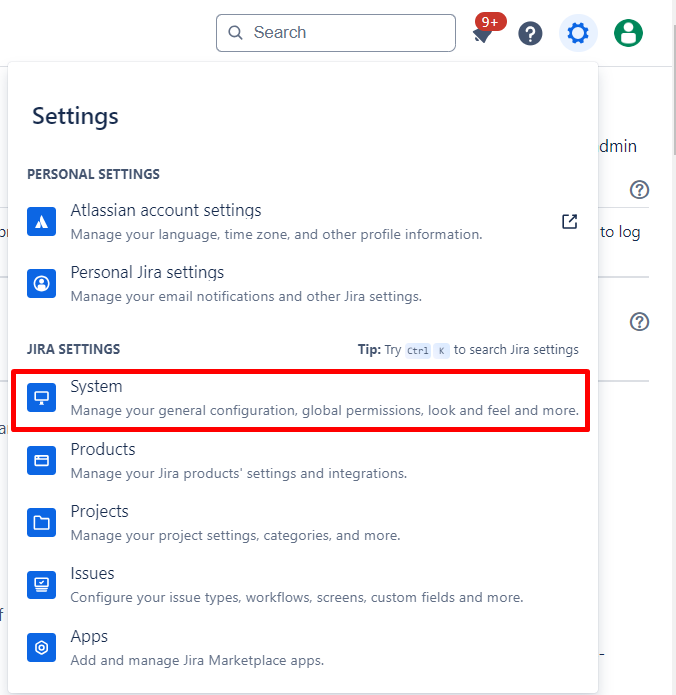
1.2.1. Click on the :cog: global Settings icon located on the upper right side, then select the “System” from Jira Settings section; this action will redirect you to the system settings panel.
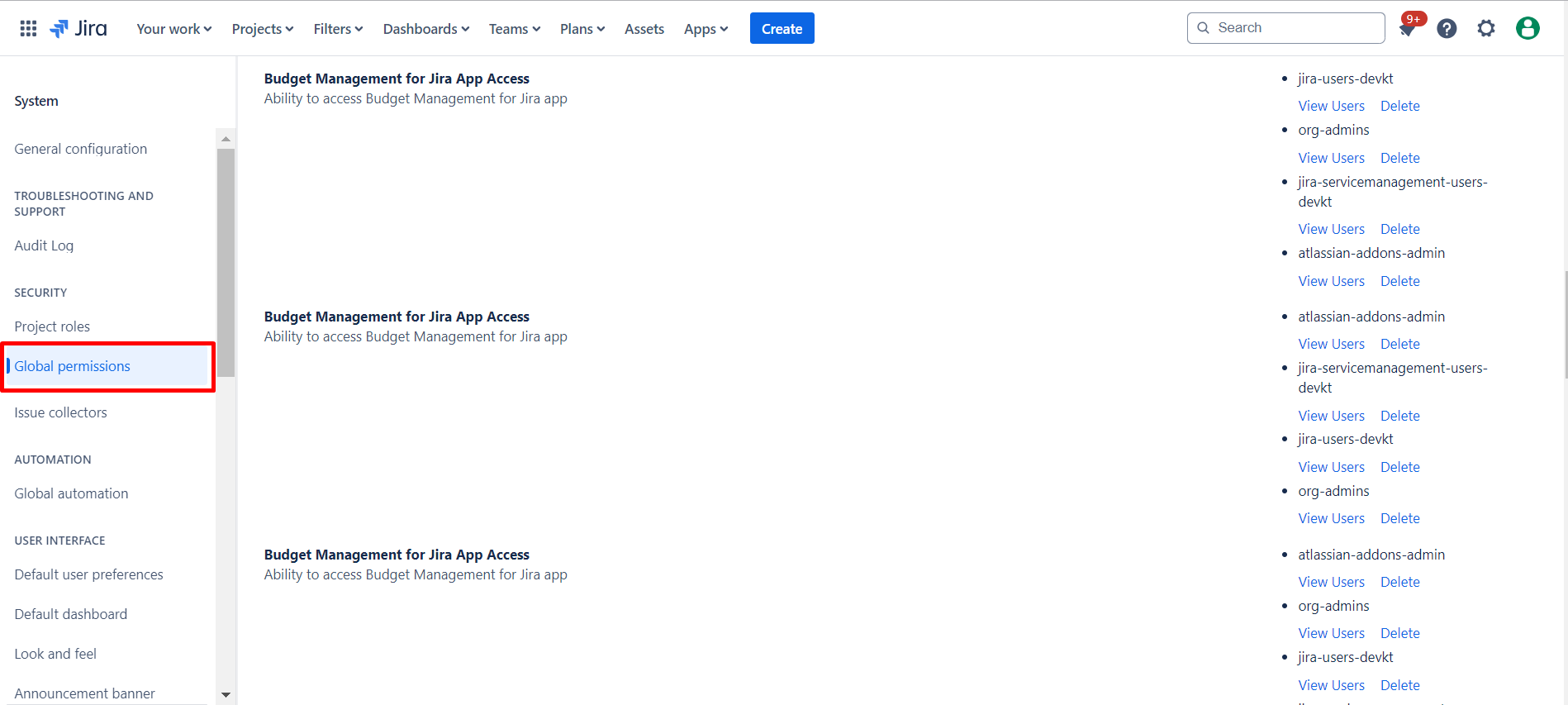
1.2.2. Click on “Global permissions” located on the left-hand side of menu; this action will redirect you to the Jira Permissions panel.
1.2.3. Within the Jira Settings panel, give the permissions for the desired groups to authorize for Financials app.
|
|
|---|
|
|
|---|
By following these steps, you can easily configure “Financials for Jira Create New Project, Financials for Jira App Access, Financials for Jira Administrator” permissions for the desired groups or users.
1.3. Constraints
When it comes to granting permissions for Financials app in the Global settings panel, consider the following constraints:
1.3.1. Ensure that you have the necessary administration permissions; lacking these permissions will hinder your ability to configure and grant Global Permissions.
1.4. Issues that may arise
While attempting to configure permissions for the Financials app, be aware of potential issues that might arise:
1.4.1. If you encounter difficulties in accessing the Global Permissions panel or making changes, ensure that your user account has the appropriate permissions within the Global Jira Settings.