
1. Deactivate a Status
1.1. Prerequisites
A user with administrator permissions, Deactivates a Status.
1.2. How to
To Deactivate a Status within the Financials for Jira, follow these steps:
1.2.1. From your admin section, on your left-hand side menu click on the :cog: settings icon, this action will take you to the overview page.
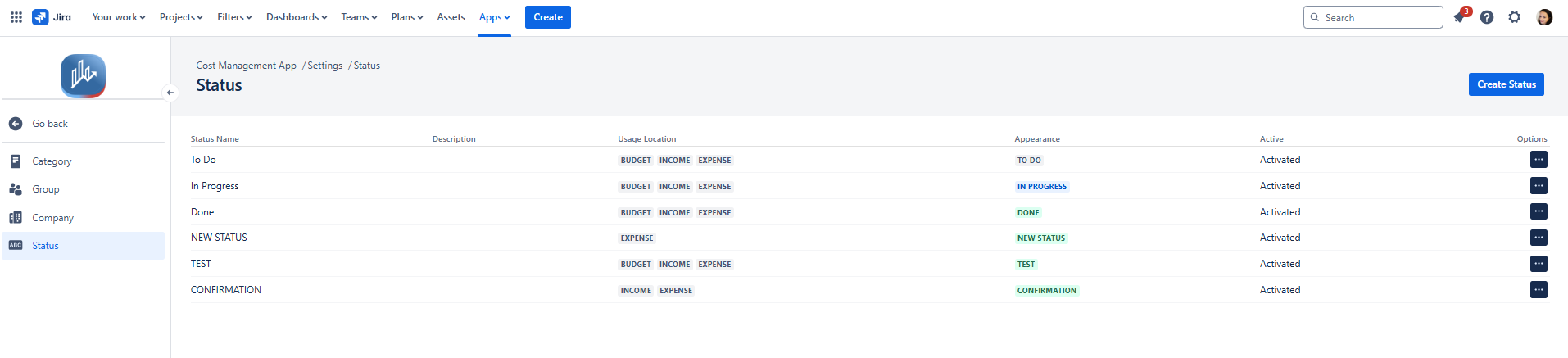
1.2.2. On the left-hand side menu, click on Status, which will open the Status modal.
|
|---|
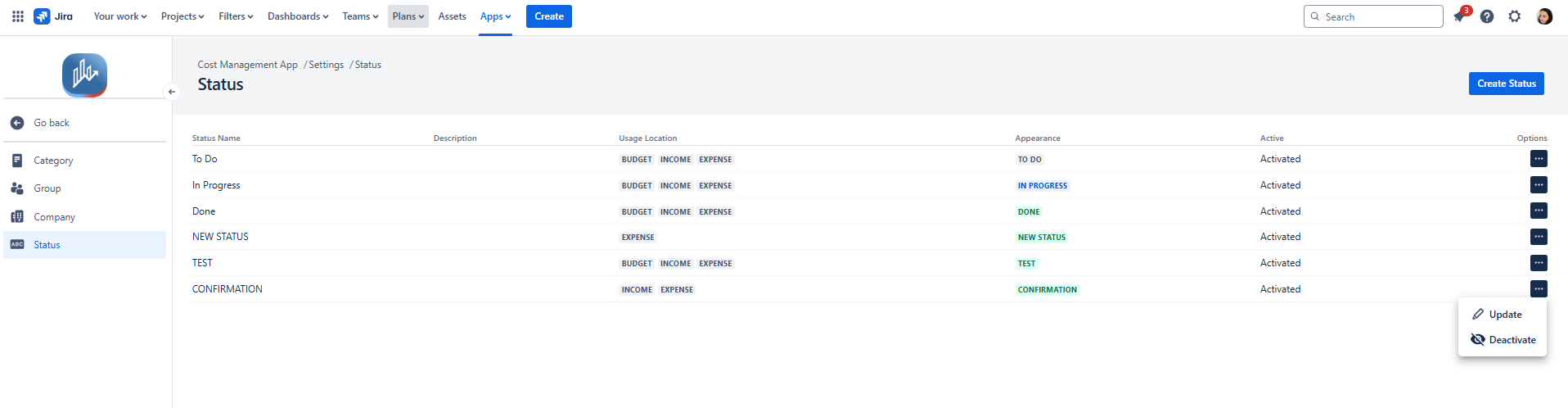
1.2.3. To Deactivate an existing status, locate it in the list and click on the three-dot menu (...) under the Options column. From the dropdown, select Deactivate.
|
|---|
or
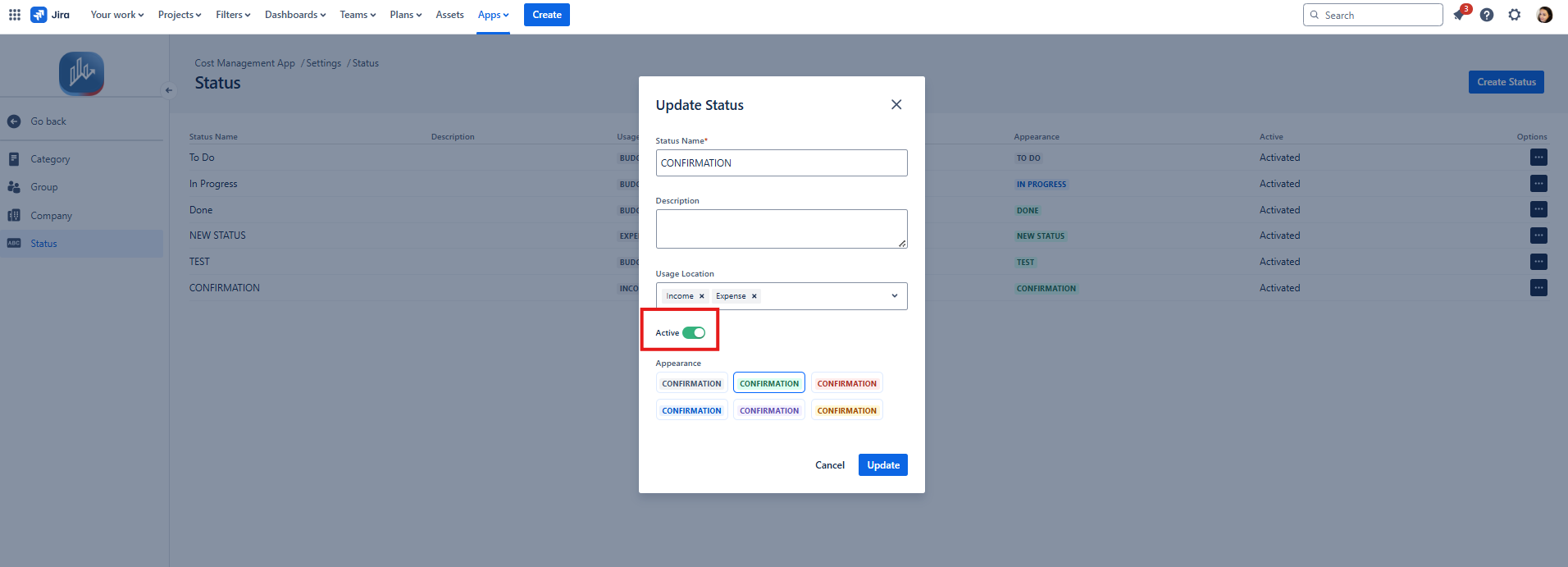
1.2.4 When updating the status, you can toggle its availability by clicking the Active switch. Turning it off will deactivate the status.
|
|---|
1.3. Constraints
When it comes to deactivating a Status , there are a few important considerations.
1.3.1. You must have administrator permissions to Deactivate a Status.
1.3.2. Deactivated statuses will remain on budgets that already use them.
However, if a user changes the status of that budget, the deactivated status will no longer be available to select again.
Note: Consider this before deactivating a status — once it’s no longer active, users won’t be able to assign it to any budget again, even if it was used before.
1.4. Issues that may arise
When you're attempting to Deactivate a Status, there are a couple of potential issues that might come up.
1.4.1. Lack of administrator permissions will prevent the Status from being Deactivated, and an error message will be displayed.