
1. Create a Project
1.1. Prerequisites
User who has create permission, creates a new Project.
1.2. How to
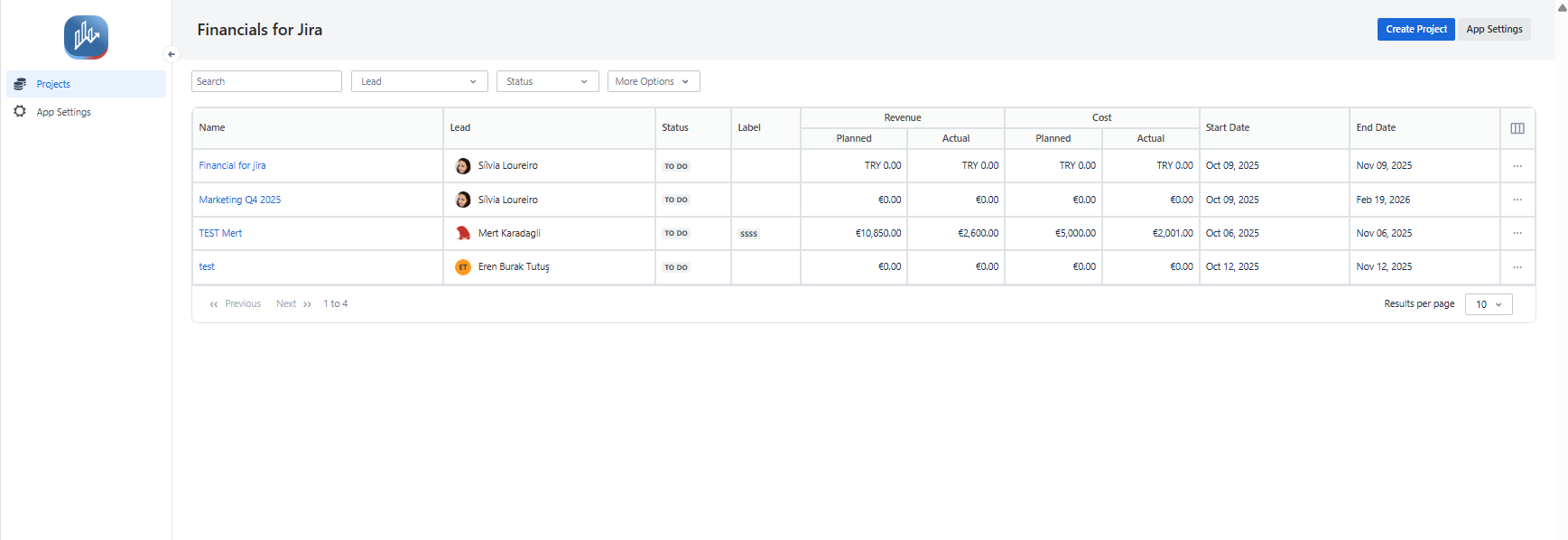
To Create a project within the Financials for Jira, follow these steps:
1.2.1. On the Financials for Jira Page click the Create a new Project button
|
|---|
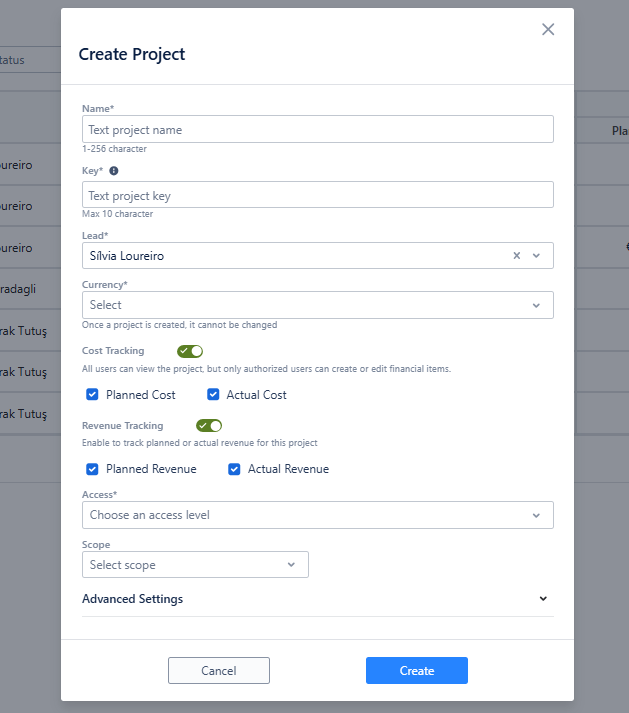
1.2.2. Please complete the required fields.
1.2.3. To create a new project, make sure you provide all the necessary information.
1.2.4. Don't forget to press the "Create" button to proceed.
|
|---|
1.3. Constraints
When it comes to creating projects, there are a few important considerations.
1.3.1. First and foremost, each project name must be one-of-a-kind; no two projects can share the same name.
1.3.2. Similarly, the project key or identifier must also be unique, ensuring there are no duplicates.
1.3.3. Moreover, there's a specific limit for the value you can enter in the project's Key field - it should fall within the range of 2 to 10 characters.
1.3.4. Lastly, it's essential to note that the project Key should only include alphanumeric characters, excluding any special characters or symbols.
|
Field Name |
Field type |
Required |
Notes |
|---|---|---|---|
|
Project key |
Text |
Yes |
Limit: (Max 10, Min, 2) Contains only alphanumeric characters (A-Z, a-z, 0-9) |
|
Project Name |
Text |
Yes |
|
|
Project Leader |
Select List |
|
|
|
Project Status |
Select List |
|
|
|
Project description |
Text |
|
|
|
Project currency |
Select List |
Yes |
|
|
Project scope |
Issue filter / JQL / Project |
|
The "Scope" field lets users choose how they define the Project scope, offering three options: "Issue Filter," "JQL," or "Project." Only one option can be selected at a time, and users can update this choice in the Project settings to meet their specific needs. |
|
Start date |
Date |
|
|
|
End date |
Date |
|
|
1.4. Issues that may arise
When you're attempting to Create a Project, there are a couple of potential issues that might come up.
1.4.1. First, if the name you've chosen for your Project is already being used by someone else, you won't be able to create it.
1.4.2. Similarly, if the identifier or key you've selected for your Project is already in use, you'll encounter the same problem.
1.4.3. Additionally, when trying to create a Project, you might face challenges due to certain limitations associated with the Project key. These limitations include a maximum of 10 characters and a minimum of 2 characters for the key.