
1. Delete a Revenue/ Cost Actual
1.1. Prerequisites
A user with editing permissions can delete an Revenue/ Cost Actual of a specific Project.
1.2. How to
To Delete a Revenue/ Cost Actual within the Financials for Jira app, follow these steps:
1.2.1. Go to the Financials for Jira panel.
1.2.2. Choose the Project for which you want to Delete a Revenue/ Cost Actual by clicking on the Project name link. This will take you to the overview page.
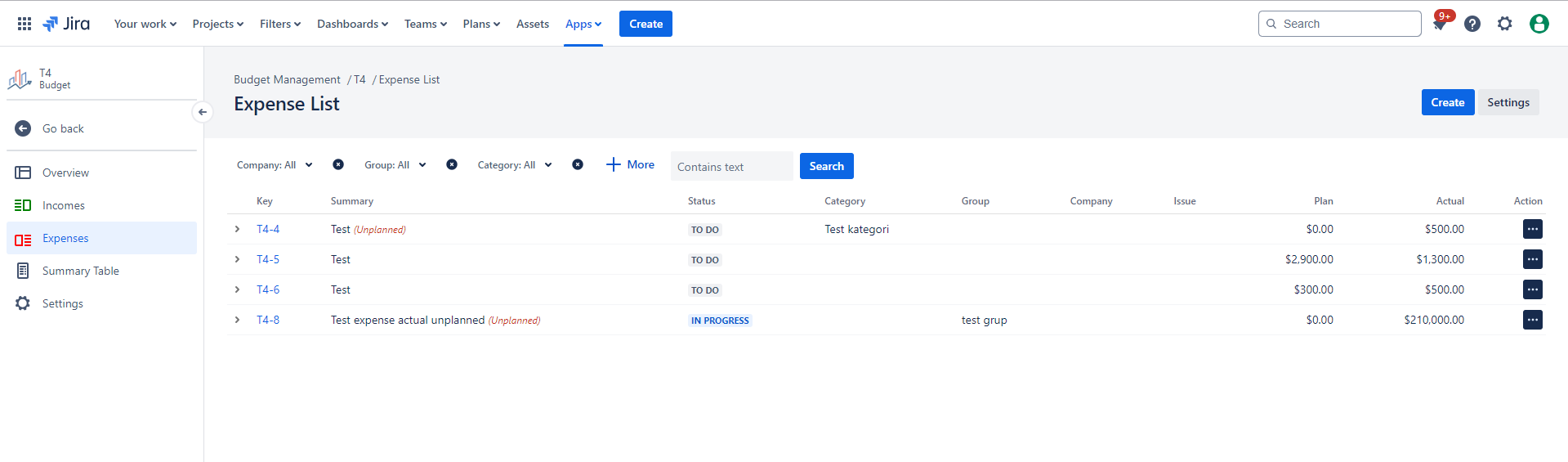
1.2.3. On the left-hand side, click on the Revenue/Cost tab, which will open the Revenue/ Cost list panel.
|
|
|---|
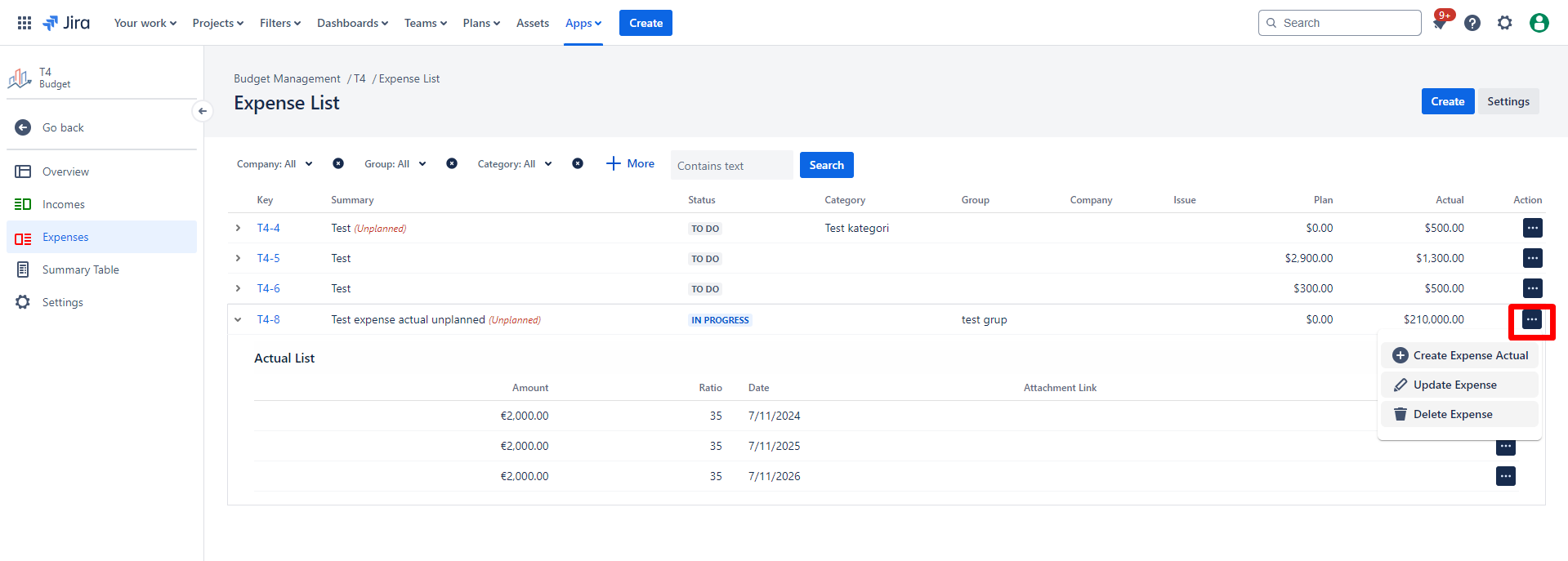
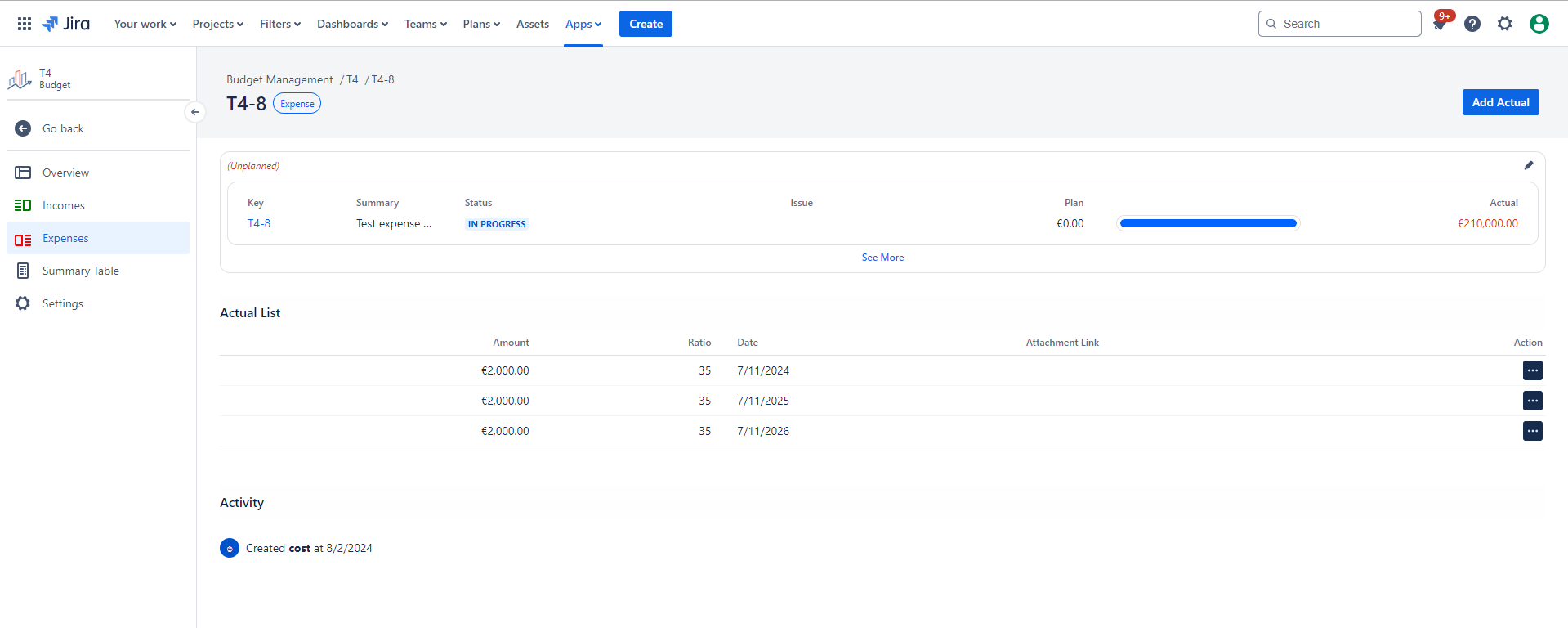
1.2.3.1 To access more information about the Revenue/ Cost, click on the arrow located on the left side next to the Revenue/ Cost's name or click on the key of the Revenue/Cost directly, which will open the Revenue/ Cost details page.
|
|
|---|
Deleting a Revenue/Cost or a specific actual of an Revenue/Cost is different.
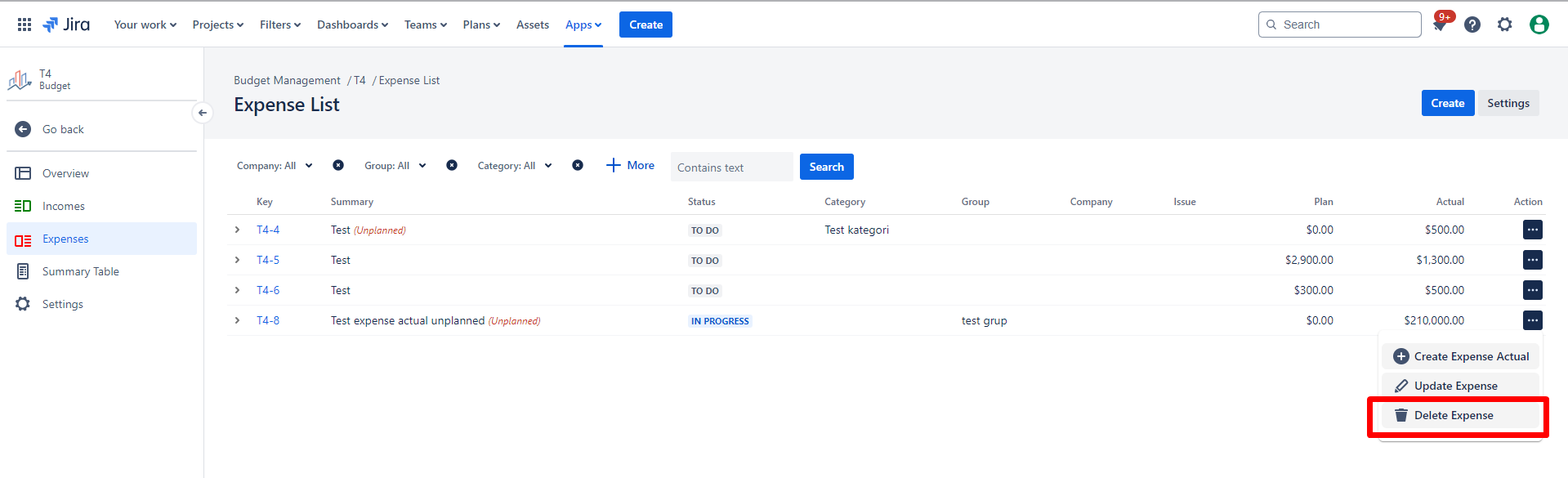
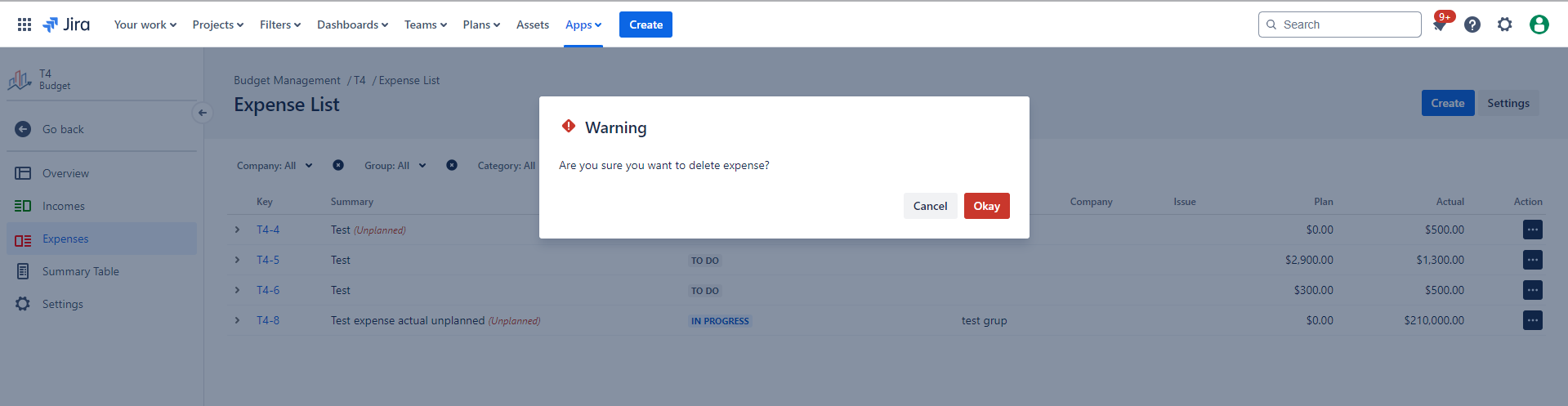
1.2.4. Choose the Revenue/ Cost you wish to Delete from the list by clicking on the "Delete Revenue/Cost" :delete: icon from Action.
|
|
|---|
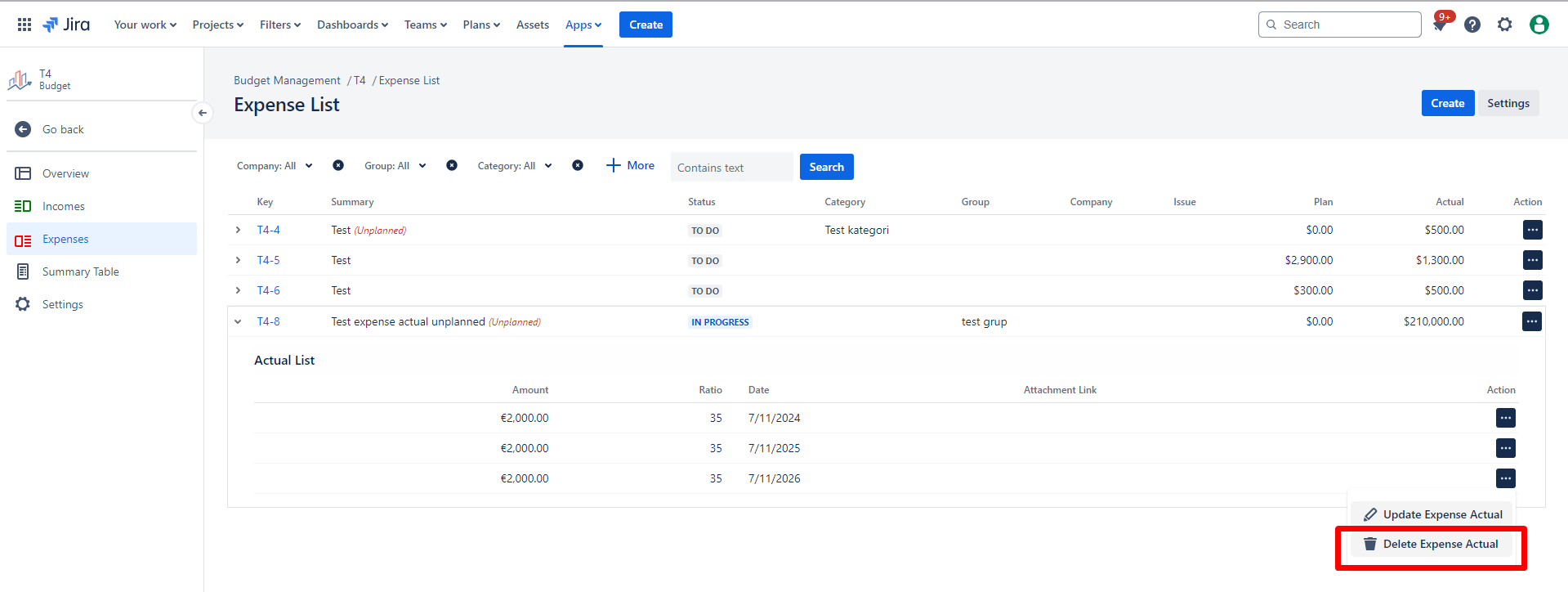
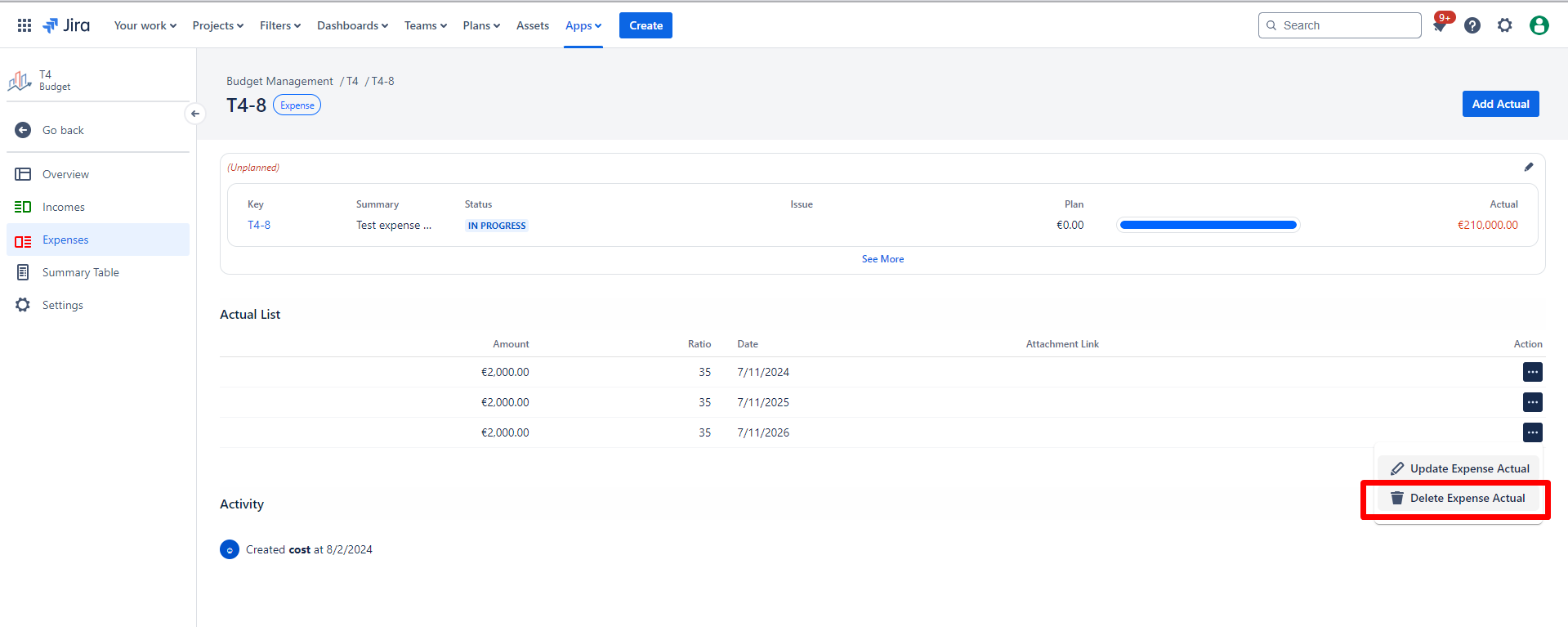
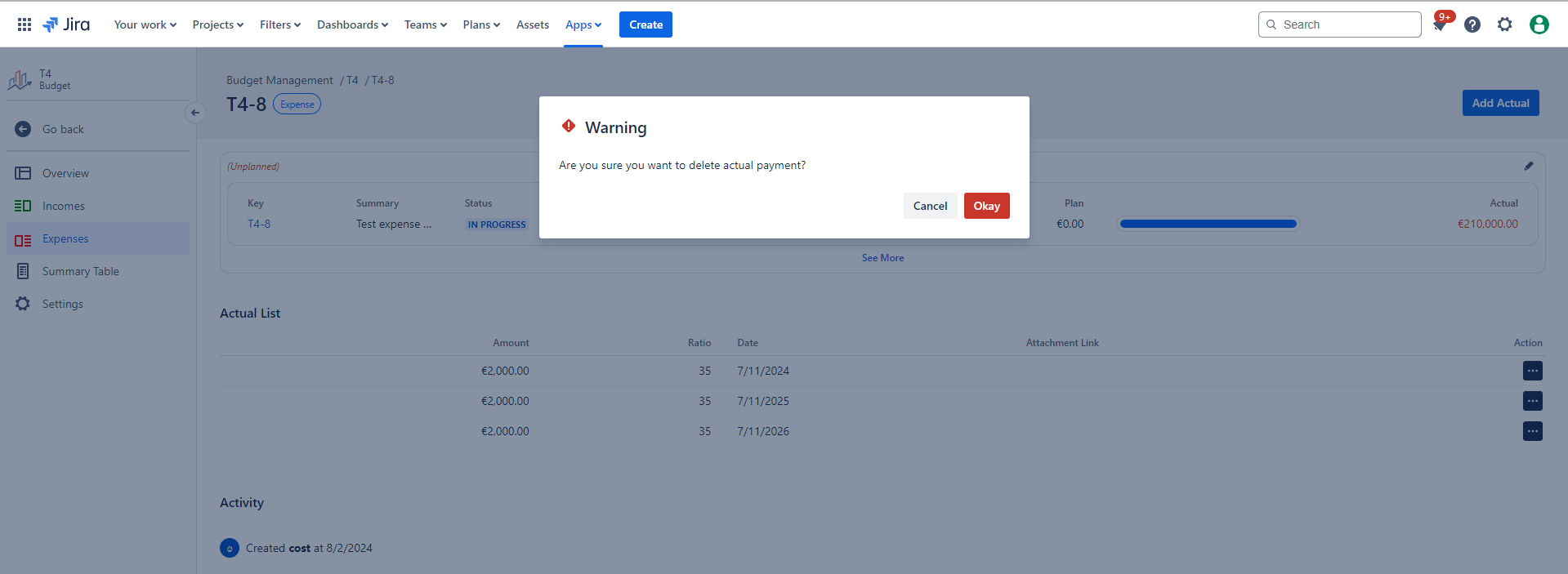
1.2.5. Choose the Revenue/ Cost Actual you wish to Delete from the Actual list by clicking on the "Delete" :delete: icon. Thus, you can delete a single actual associated with a Revenue/Cost.
|
|
|---|
1.3. Constraints
When it comes to Delete Revenue/ Cost Actual, there are a few important considerations.
1.3.1. Deleting a Revenue/Cost Actual requires the necessary permissions.
1.4. Issues that may arise
When you attempt to Delete Revenue/ Cost Actual, there are several potential issues that you might encounter:
1.4.1. Lack of delete permissions for the associated Project will prevent deletion.
1.4.2. Failure to confirm the deletion in the displayed warning message will result in an unsuccessful attempt.